Where can I resolve FOB issues in the system?
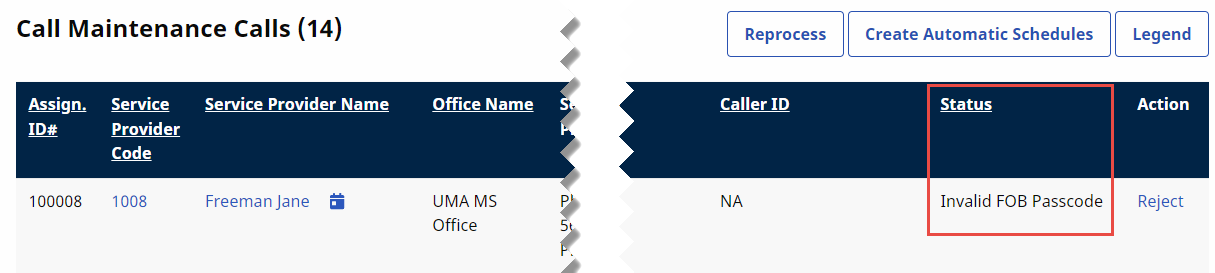
FOB-based EVV issues are routed and sorted on the Call Maintenance tab of the Call Dashboard. There are three specific statuses associated with FOB confirmation issues, described in the table below.
|
Status |
Description |
|---|---|
| Invalid FOB Passcode | The passcode entered at clock in or clock out is not recognized by the system. This issue occurs if the caregiver enters the code incorrectly. |
| Expired FOB Passcode | The passcode entered at clock in or clock out has expired. All FOB passcodes expire 7 days after they are generated. |
| FOB Confirmation from Inactive Patient | A FOB-based EVV was placed for patient listed as Inactive. |
Invalid and Expired FOB Passcode cannot be linked to visits. The only course of action with these issues is to Reject the EVV.
FOB Confirmation from Inactive Patient can be linked if determined that the patient was mistakenly listed as Inactive.
FOB-based EVV that end up in Call Maintenance may have other statuses applied to them, such as Call Out with No Call In or Potential In/Out Mistake.