How do I edit or delete a master week?
Complete the following steps to edit or delete a master week:
Edit a master week
-
To edit a Master Week, on the Master Week page, click the Edit icon for the Master Week you want to edit.
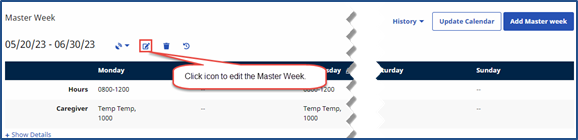
-
Make changes and click Save at lower right.
By default, the system rolls over the Master Week for the 14-day range in the From and To Date fields. You can adjust the date range and roll over Master Week details to other date ranges.
A Master Week does not roll over if a Patient’s Authorizations do not cover the future dates.
Delete a master week
-
From the Master Week page. select the master week you want to delete.
-
Click the Delete icon
 next to the Edit icon.