What does the Master Week function do?
The Master Week function is used to generate permanent schedules for patients who receive the same service regularly.
The system uses the Master Week's information to update the Patient’s Calendar every night for 14 days (the number of days is configurable) into the future in a process known as a rollover. Any changes to the Master Week are reflected in future visits when it rolls over again.
Create a Master Week
Follow the steps below to create a master week.
-
Look up the patient and click Master Week in the index (on the left).
-
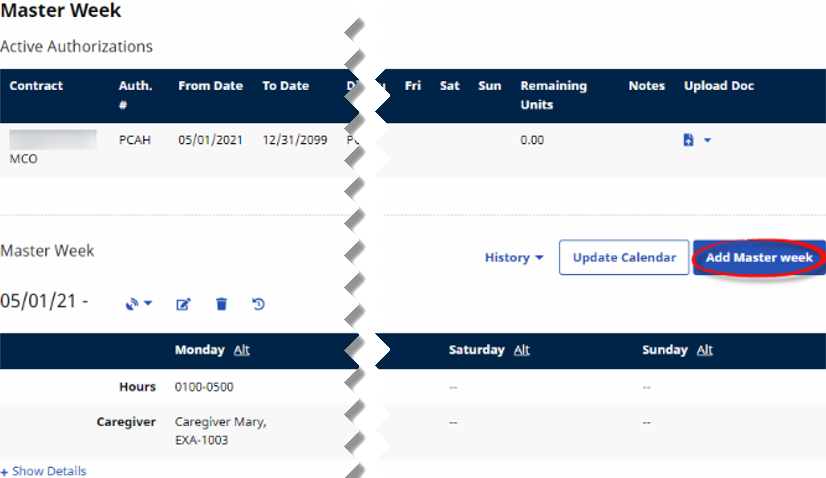
On the Master Week page, click Add Master Week (on the right).
-
On the Add Master Week page:
-
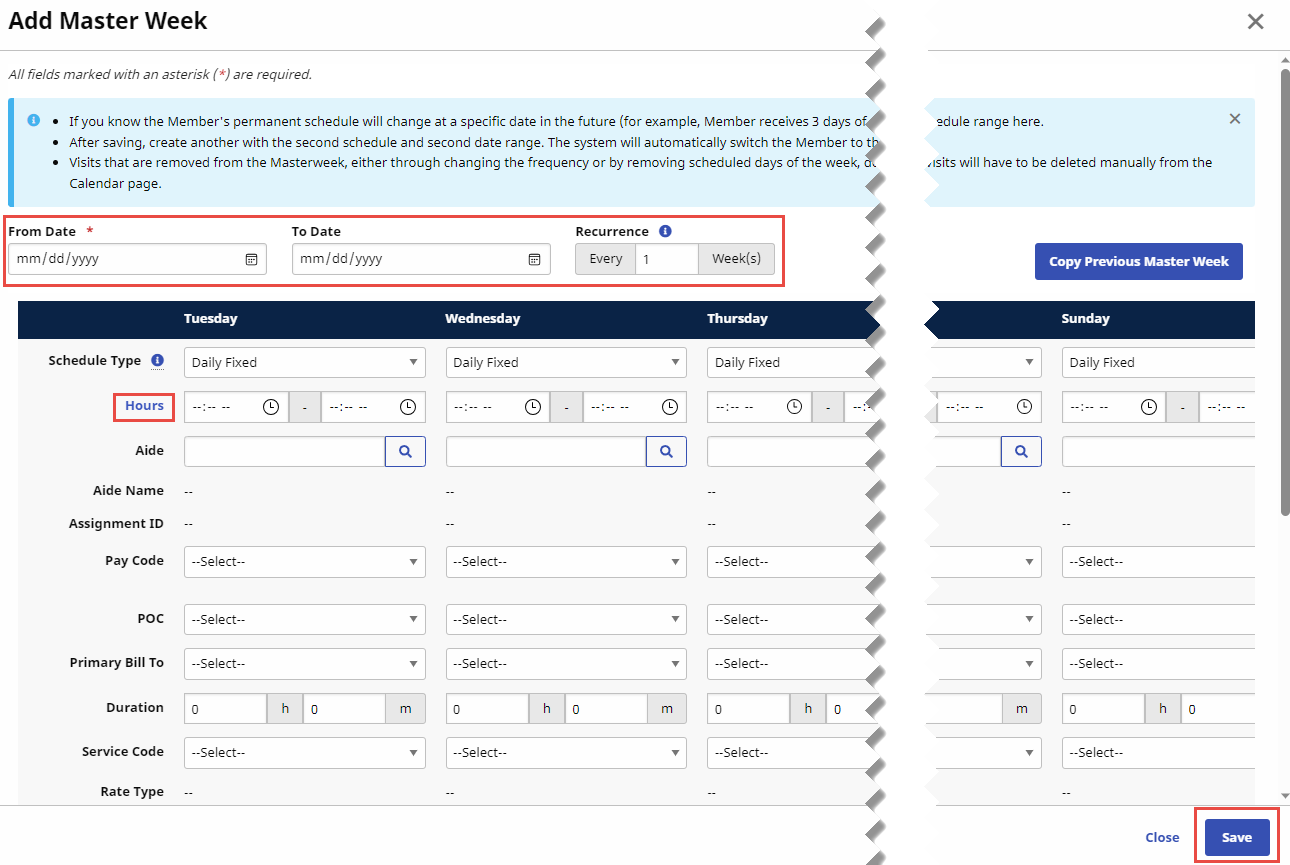
Set the master week date range in the From Date and To Date fields.
Instead of entering the same hours and details for each day, click Hours to open the Apply Uniform Hours & Details page. Then, set the hours and visit details one time and select the days of the week that the hours and details apply. Click Save to close the Apply Uniform Hours & Details page.-
The From Date field is required.
-
The To Date field can be left blank to indicate an indefinite stop date. If you enter a To Date, the system won't generate visits from this master week past that date.
-
-
If a patient's schedule alternates weekly, set the recurrence in weeks for this schedule.
-
For example, a recurrence value of two weeks means that this Alternate Master Week creates scheduled visits every other week.
-
-
Enter hours and visit details for each master weekday.
-
When you finish setting the master week details, click Save (lower right).
-
-
At the top right of the Master Week page, click Update Calendar to place scheduled visits on the patient’s calendar based on the master week you just created. Click History if you want to review Rollover and Deleted Master Week History.

Create Multiple Master Weeks
You can create multiple Master Weeks for a patient if the visit times and date ranges don’t overlap. For example:
-
The patient has multiple shifts on the same day. If the patient consistently receives service in the morning and then again in the evening, the agency can add a Master Week for the morning shift and a Master Week for the evening shift.
-
The patient has a tapered service schedule. The patient’s schedule changes on a set basis. For example, the patient receives five visits per week for the first month, four per week for the second month, and three per week for the third month. In this situation, one master week can be added with a date range for the first month, a second for the following date range, and a third for the final date range.
Some Master Week schedules alternate from week to week. For example, every other Sunday a different Caregiver might work, or every third week the Patient may receive services in the afternoon instead of the morning. In these situations, the Agency sets the Recurrence of the alternate Master Week schedule. When a recurring alternate Master Week exists, the Master Week rollover process alternates back and forth based on what is set for the recurrence of the alternate week.
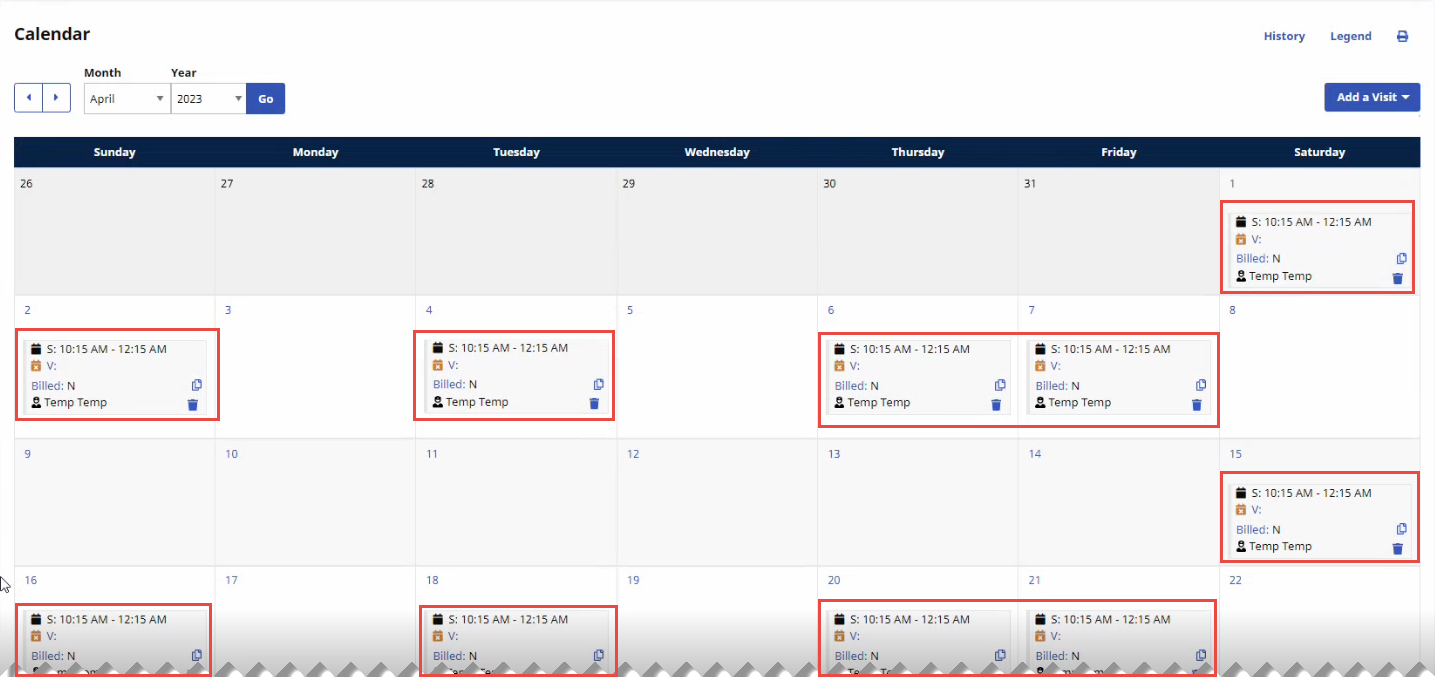
The system creates scheduled visits starting on the Master Week's From Date and continues for seven days. When the Master Week's From Date is set to a Sunday, scheduled visits start at the beginning of the calendar week, Sunday, and run through the end of the calendar week, Saturday.
For example, a Recurrence value of two (2) weeks for a Sunday, Tuesday, Thursday, Friday, Saturday schedule with a From Date of Sunday, April 2nd, creates one week of visits during the calendar week starting April 2nd, and then skips the following calendar week.
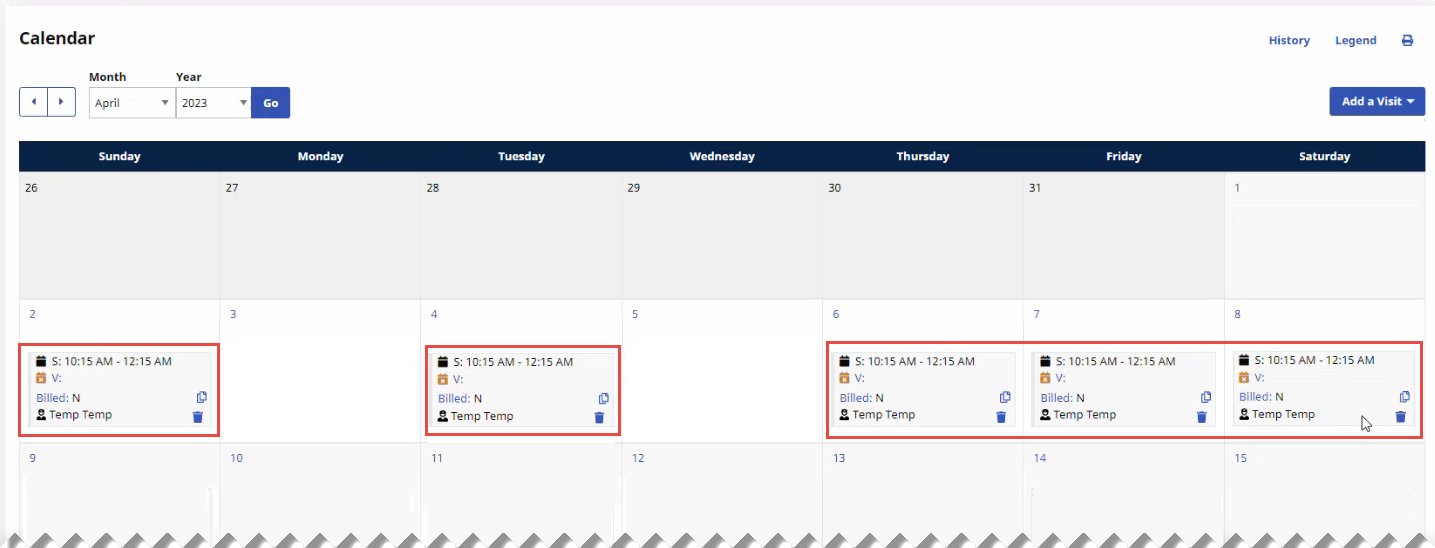
A Recurrence value of two (2) weeks for a Sunday, Tuesday, Thursday, Friday, Saturday schedule with a From Date of Saturday, April 1st, creates seven days of visits starting April 1st, and then skips the following seven days.