Enable Conflict Management Dashboard
The Conflict Management Dashboard is not enabled by default. Assign a user role for users to gain access to the portal.
To enable the Conflict Management Dashboard feature for your agency:
-
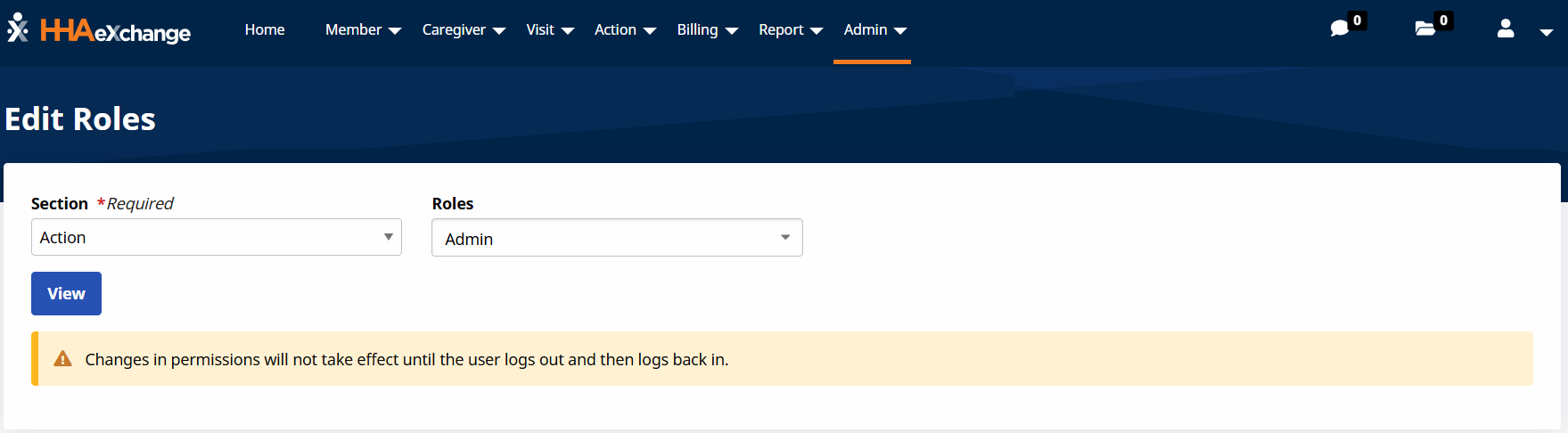
Go to Admin > User Management > Edit Roles.
-
Select Action in the Section field, select the correct roll in the Roles field and then select View.
-
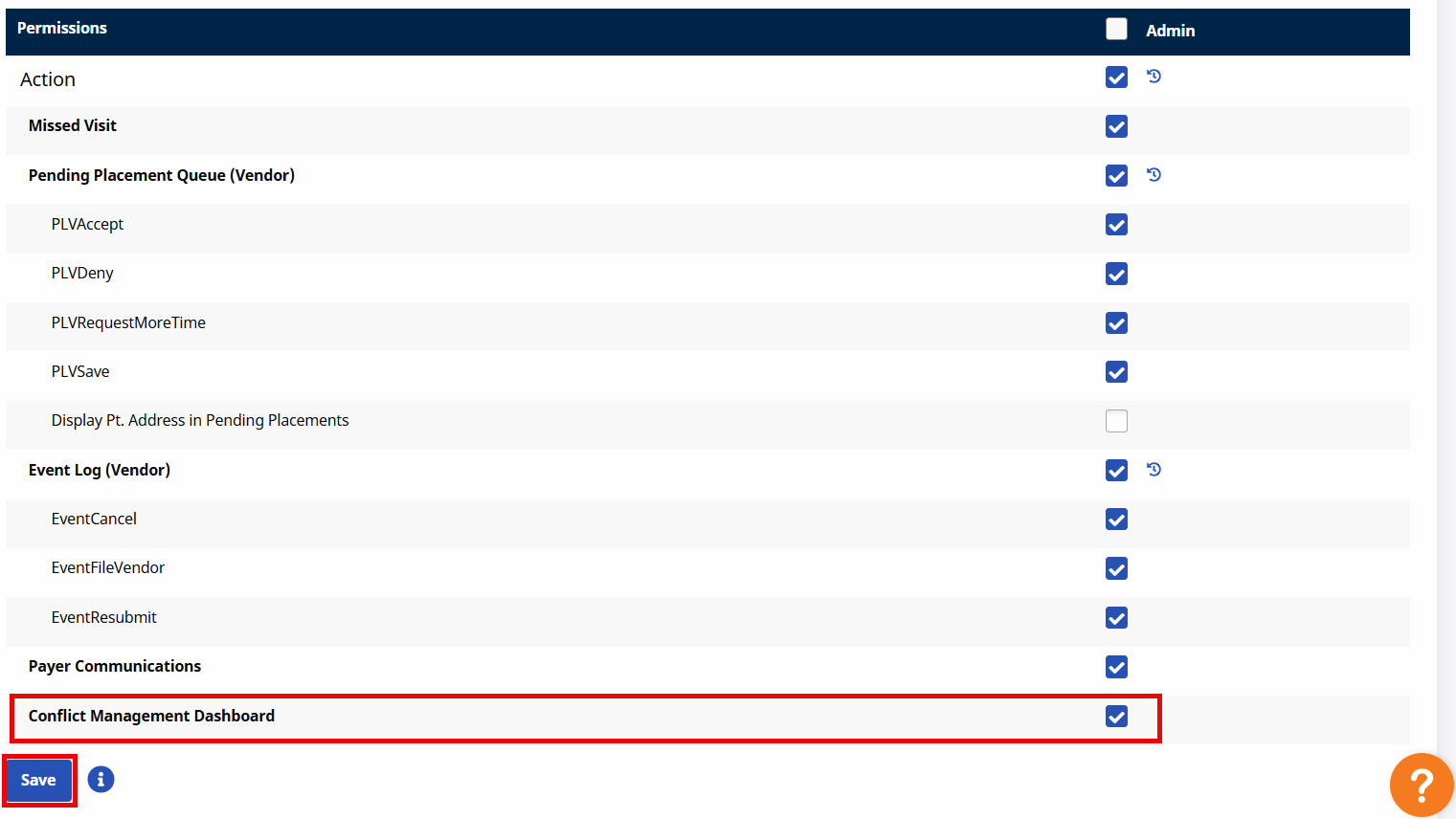
Select Conflict Management Dashboard in the Action section.
-
Select Save.