Set Up Coordinators
Add and manage Coordinators in your system. This help topic walks through how to create a new Coordinator and how to search for and update existing Coordinator details.
Ensure the Coordinator is registered as a User before initiating the Coordinator Setup process.

Complete the following steps to set up a new Coordinator:
-
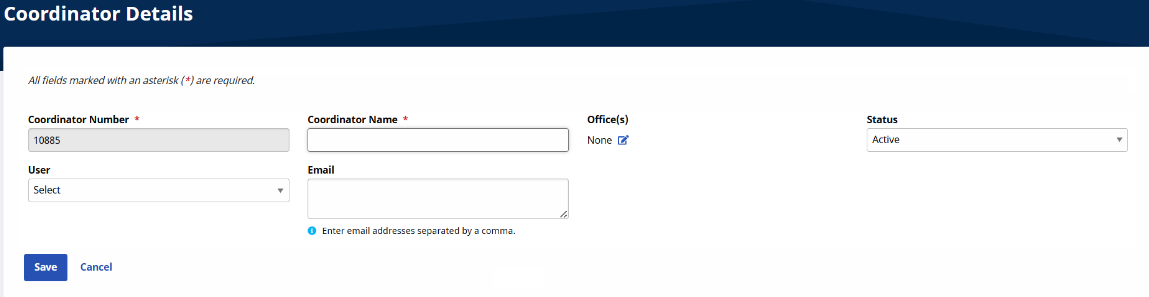
Go to Admin > Coordinator Setup > New Coordinator, the Coordinator Details window opens.
-
Complete the required fields and select Save.
Complete the following steps to Search for and Edit Coordinator information:
-
Go to Admin > Coordinator Setup > Coordinator Search.
-
Enter search parameters and select Search.

-
In the Search Results section select the Edit icon.

-
The Coordinator Details page opens, enter updates and select Save.
Other Resources