Residing Caregiver Section
In certain homecare delivery models, the individual providing care may live with the Patient. Sometimes this is an arrangement where a Caregiver agrees to live consistently with the Patient as part of employment. In Consumer Directed models, this can also reflect a Patient selecting an individual already living in the home to be their care provider.
When implementing Cures Act mandates, an exception is often made for Live In (Residing) Caregivers when confirming services. EVV may not be required for Caregivers who live with the Patient.

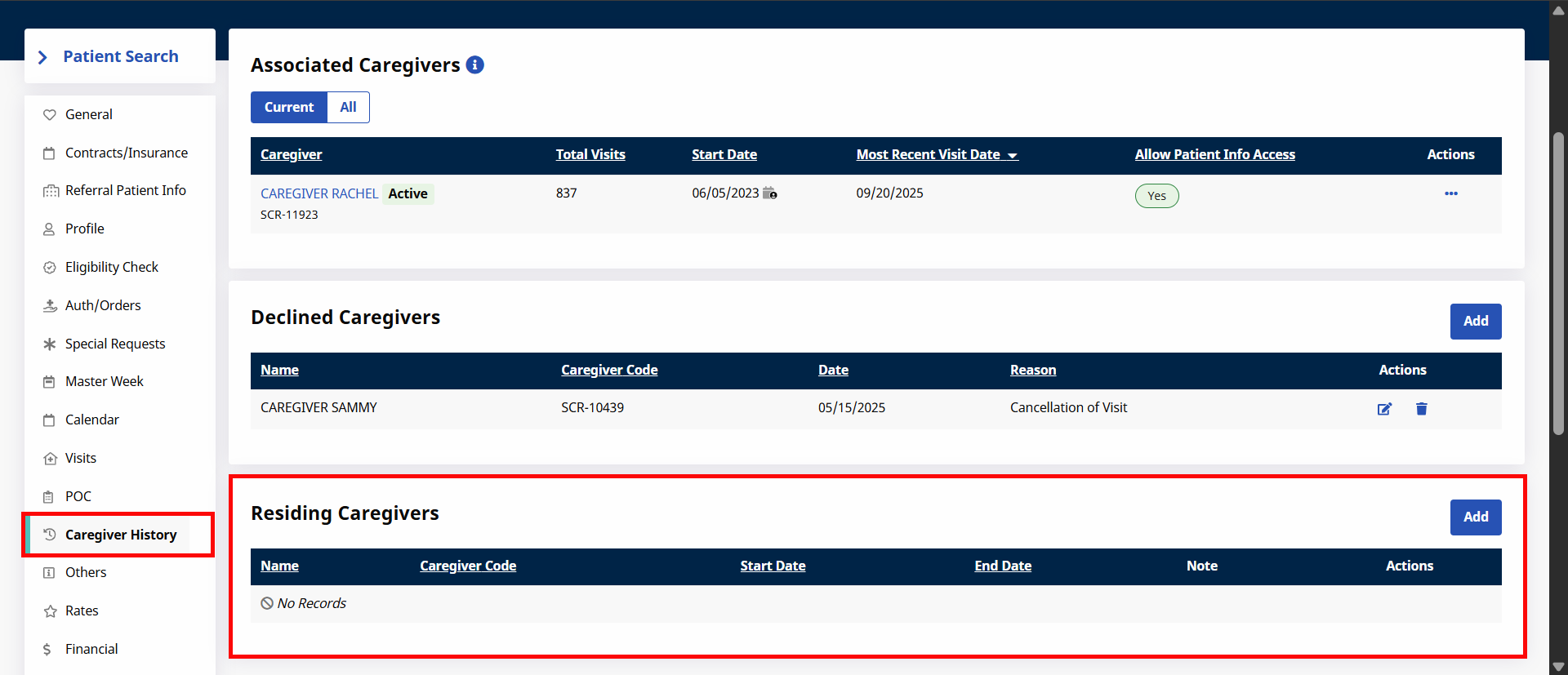
To capture this association, a Residing Caregivers section is available under Patient Profile > Caregiver History to reflect associated pairings that may exempt Caregivers from certain EVV requirements.
-
Go to Patient Profile > Caregiver History.
-
Click the Add button to add a new Residing Caregiver or click the Edit icon to update information on an existing one.
-
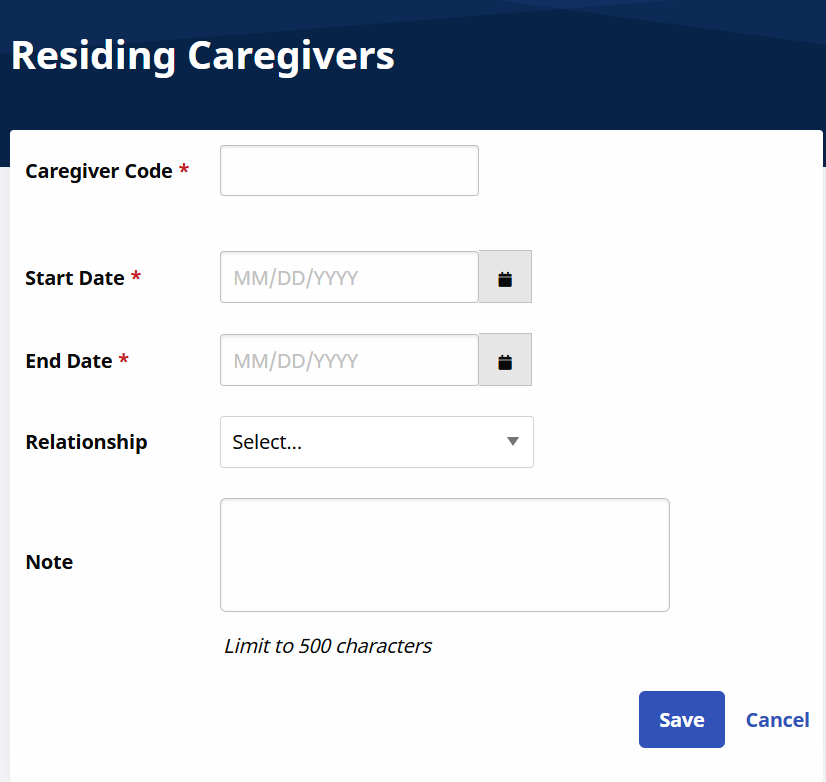
On the Residing Caregivers window enter the details to include the required Caregiver Code, Start/End Date, Relationship, and Note.
Arizona Providers are required to select a Relationship for Patients who have live-in Caregivers.
-
Click Save to finalize.
When data is updated (added, edited, or deleted) in the Residing Caregiver section of a Member Child Profile, a merge is necessary in the Member Parent Profile for the information to sync. The system copies/syncs any updated Residing Caregiver information from the Child Profile to the Parent Profile. Any overlapping or existing information does not copy over eliminating duplicate data.
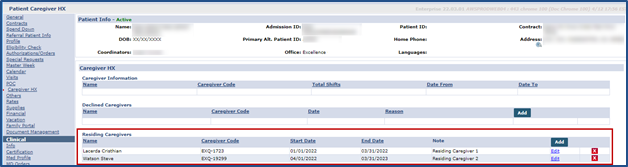
If a Patient Profile is unmerged, then all synced Residing Caregiver information is removed from the Parent Profile and is solely kept in the Child Profile.
Other Resources