Restricted Caregiver
You can place a restriction (suspension from providing service) on Caregivers who
-
Do not meet compliance requirements,
-
Have received negative reviews from Members, or
-
Are ineligible for other reasons specified by an authorized Payer user.
Caregiver restrictions can be set for a specific range of dates.

Caregiver Restrictions are added on the Restricted Caregivers page under Provider and Caregiver > Restricted Caregiver.
Follow instructions below to add a Caregiver Restriction.
-
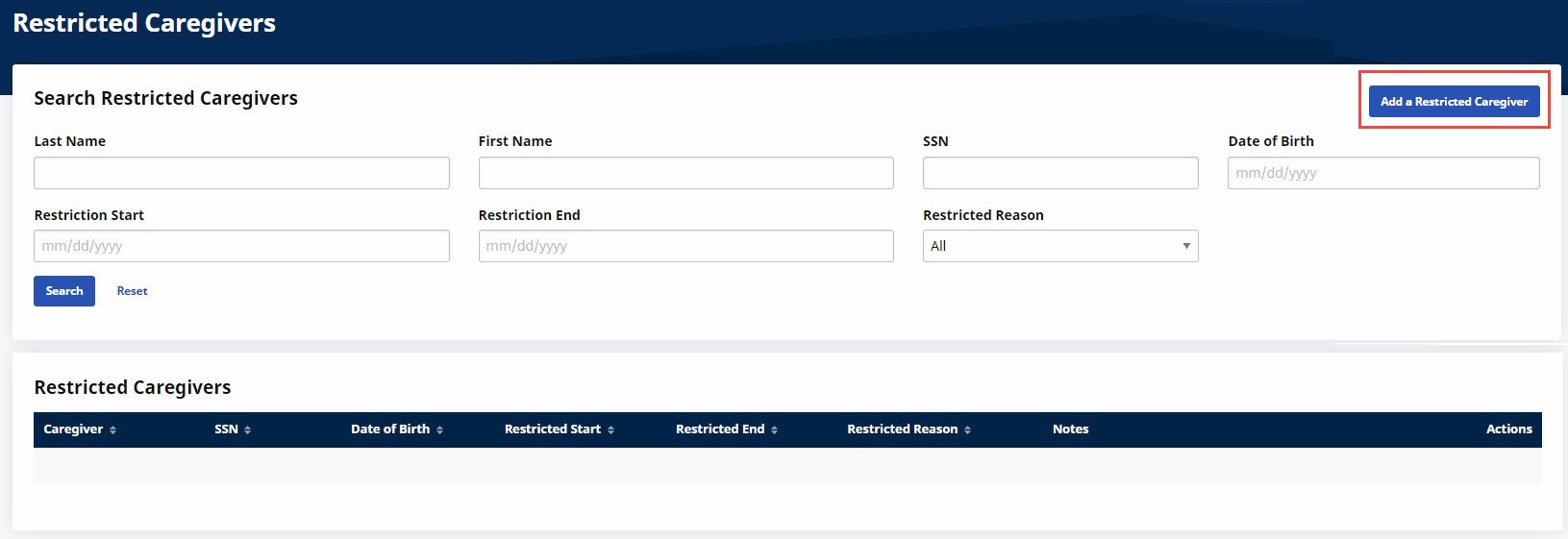
From the Restricted Caregivers page, click Add a Restricted Caregiver at top right.
-
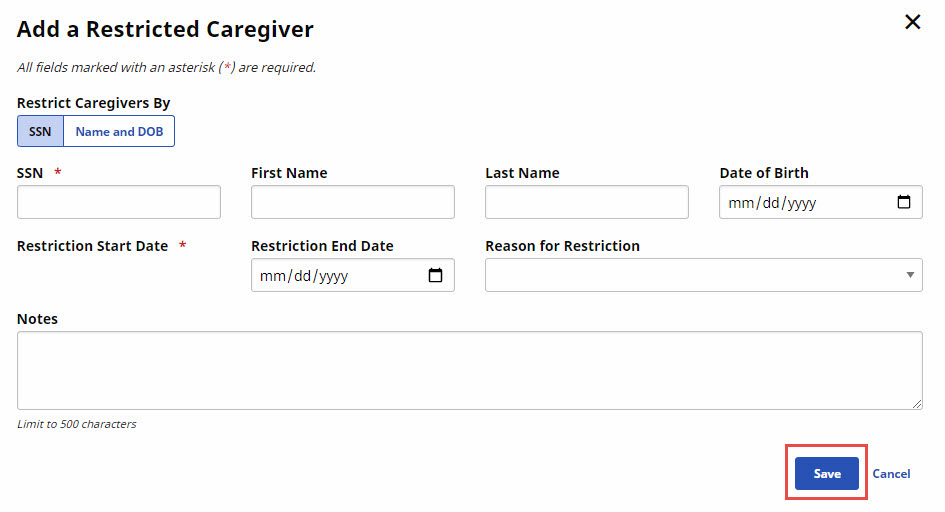
Complete the Add a Restricted Caregiver page as explained below, and then click Save.
-
Restrict Caregivers By - Select whether the Caregiver is to be identified by SSN (Social Security Number) or by Name and DOB (Date of Birth).
-
SSN - Type the Caregiver’s Social Security Number. Required if used for identification.
-
First Name - Type the Caregiver’s First Name. Required if used for identification.
-
Last Name - Type the Caregiver’s Last Name. Required if used for identification.
-
Date of Birth - Select the Caregiver’s Date of Birth. Required if used for identification.
-
Restriction Start Date - Set the date the restriction starts.
-
Restriction End Date - Set the date the restriction is lifted.
-
Reason for Restriction - Select the reason for the restriction. Contents of the dropdown list are set in Admin, Reference Table Management.
-
Notes - Type any notes to help explain the restriction.
-
Follow instructions below to edit a Caregiver Restriction.
-
From the Restricted Caregivers page, click the Ellipsis … at the right of the Restricted Caregiver row you want to change, and select Edit.

-
Make changes on the Edit a Restricted Caregiver page, and then click Save.
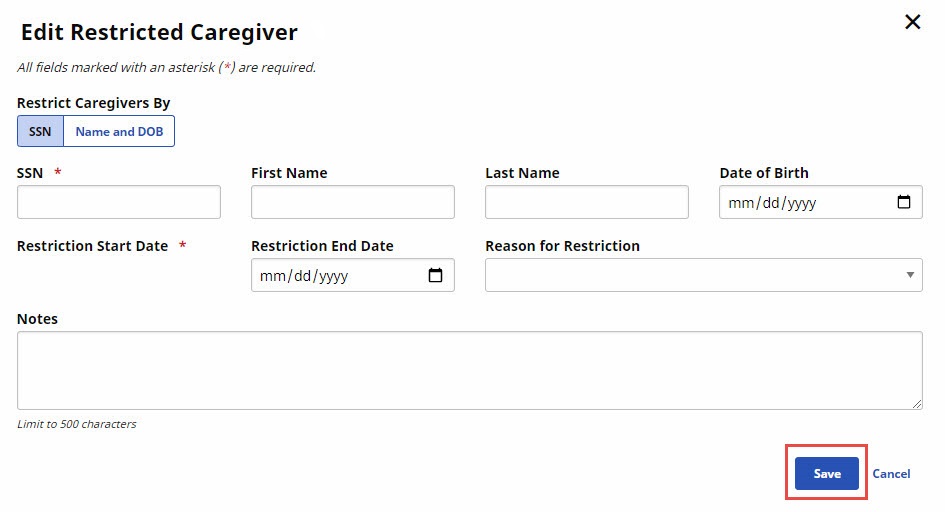
Contents of the Reason for Restriction dropdown list in the Add Restricted Caregiver and Edit Restricted Caregiver windows are set via the Reference Table Management page under Admin > Reference Table Management.
Follow instructions below to delete a Caregiver Restriction.
-
From the Restricted Caregivers page, click the Ellipsis … at the right of the Restricted Caregiver row you want to delete, and select Delete.

-
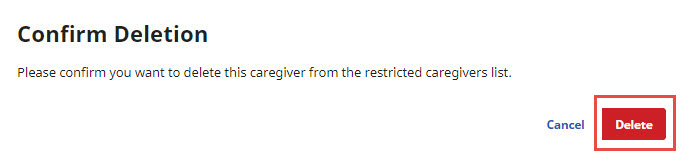
When prompted, confirm your decision to delete the restriction by clicking Delete.