Enter Notes
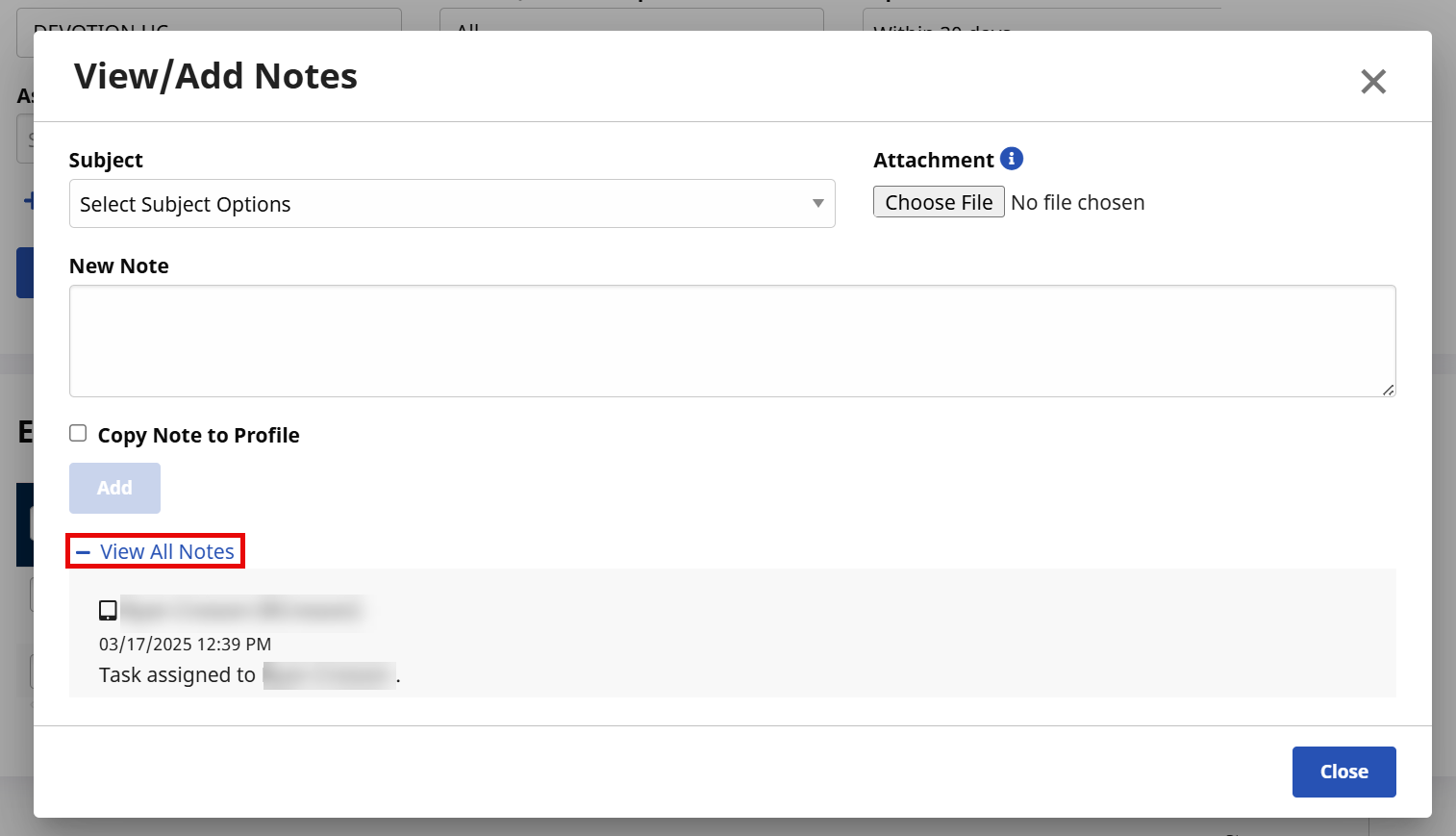
Notes can be entered for a specific worklist task under Action > Operation Worklist to log the steps taken to resolve the task. On the View/Add Notes window, select a Subject or attach supporting documentation under the Attachment field, as illustrated in the image below.

When adding a new note under Action > Operation Worklist, notice that all previously entered notes are available to review under the View All Notes section of the window.
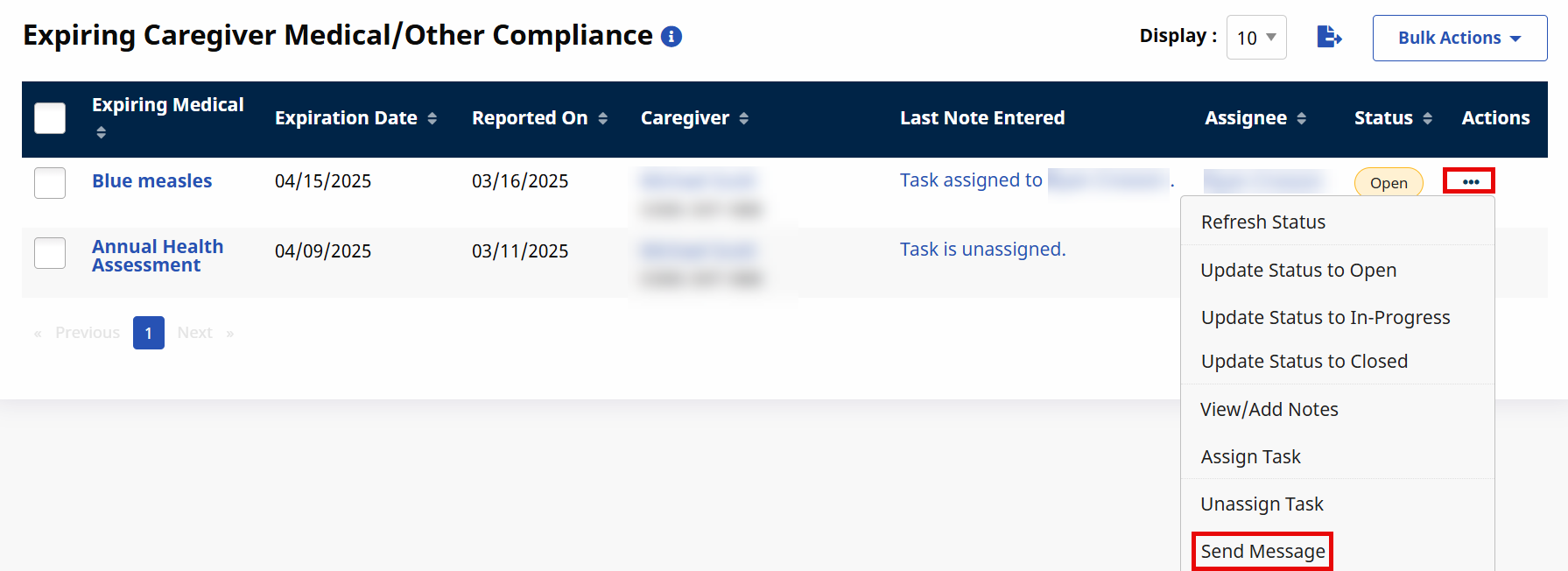
The last entered note for a task is automatically displayed in search results. Refer to the Task Action Menu section for information on entering and viewing task notes.
The Actions menu under Action > Operation Worklist has been expanded to allow Providers to send messages directly from the worklist. Click the Actions menu from the selected search result, then click Send Message.
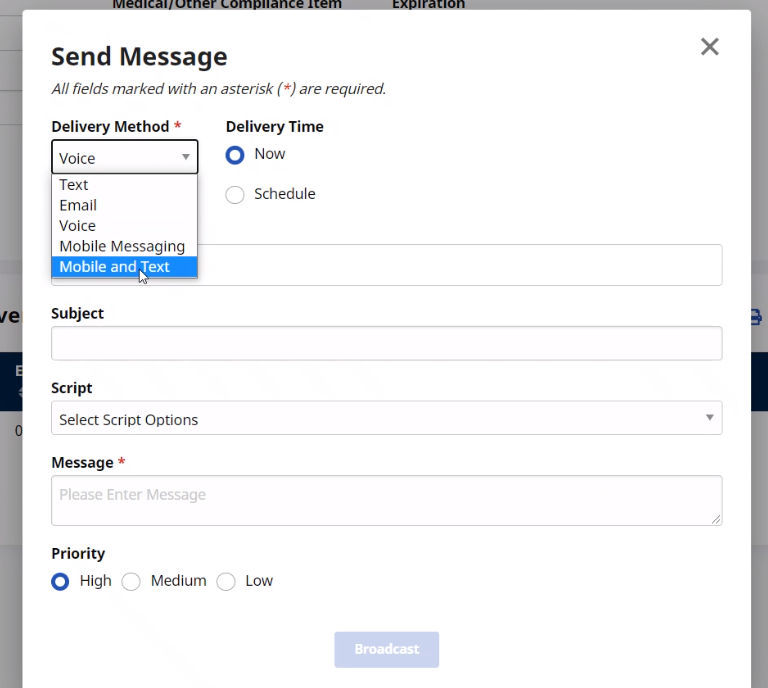
The Send Message window opens. Select the Delivery Method and enter the Message (required, as denoted by the red asterisk). Once complete, click the Broadcast button to send the message.