Payer Guardrails for Entire Period Authorizations
This feature is enabled and managed by Payers. Providers must be migrated to the new Authorization environment for this feature.
Payers can restrict Entire Period type authorizations to prevent Providers from over utilization (over-servicing the Patient). Termed as Payer Guardrails in the system, these controls govern how the authorization can be allocated by Providers, ensuring that units are available throughout the entire period (lasting to the scheduled End Date).
This functionality only applies to Hourly rate types.

Once Payer Guardrails are enabled, Providers can view the breakdown by going to the Patient’s Authorization page under Patient > Search Patient > Auth/Orders. On the Authorizations page, click the Authorization Guardrail Breakdown .
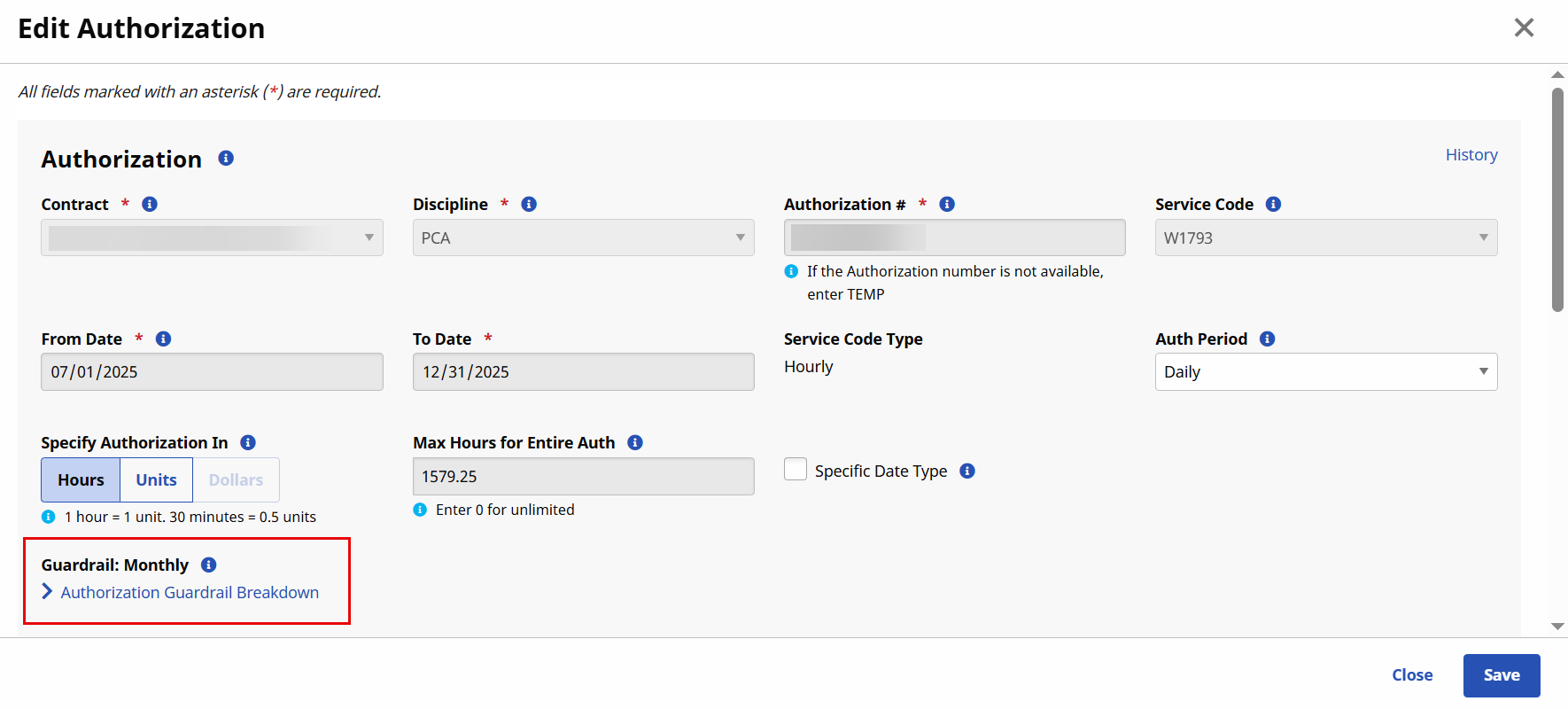
The Guardrail Breakdown displays. The top section provides a summary of the Authorization and Guardrail details to include the effective date of the Payer Guardrails.
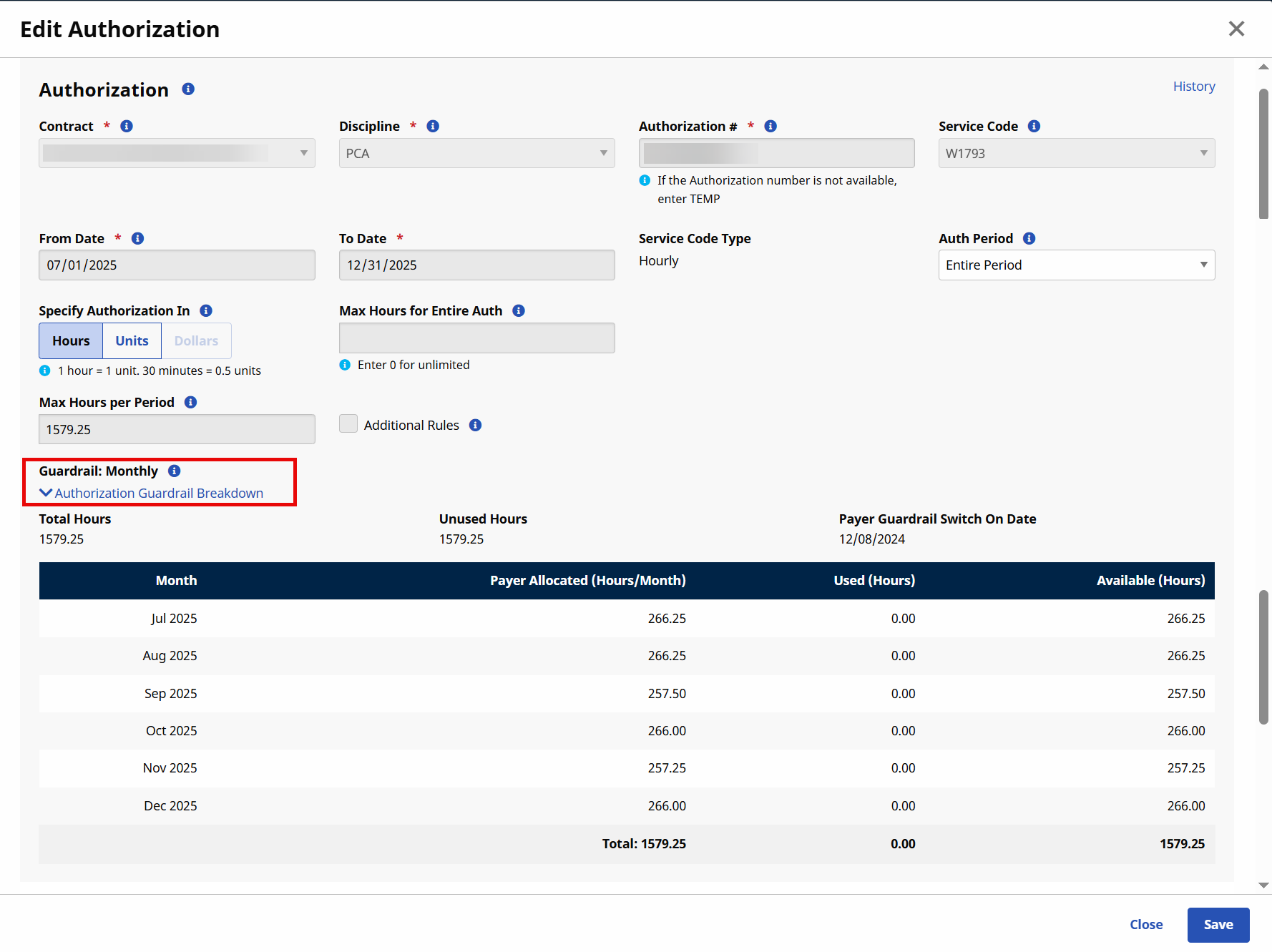
The table underneath offers a monthly breakdown of hours (Total Entire Period divided by the period duration). The Payer Allocated (Hours/Month) column indicates the limit for the monthly period. Utilized hours will display under the Used (Hours) column per month. Remaining hours not utilized appears in the Available (Hours) column. Visits that exceed the Guardrail limits for the month are not authorized.
Providers can also add Additional Rules to authorizations within the set Guardrails.
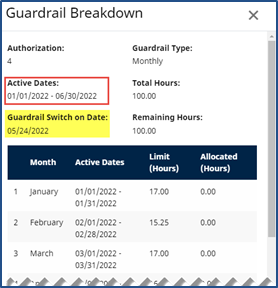
In cases where Guardrails are enabled on an existing authorization, the previous months remain with the utilized hours while the remaining period is allocated as per Guardrail settings.
The image below illustrates that the Guardrail is effective mid-March; therefore setting Limit (Hours) from March to December. Hours used in January and February are authorized (not affected) yet factored into the Entire Period.
Payers can remove Payer Guardrails for any specific Authorization by disabling the feature at the Authorization level for a specific Patient. The Payer Guardrail feature is selected by default when the feature is enabled and applied for a Provider.
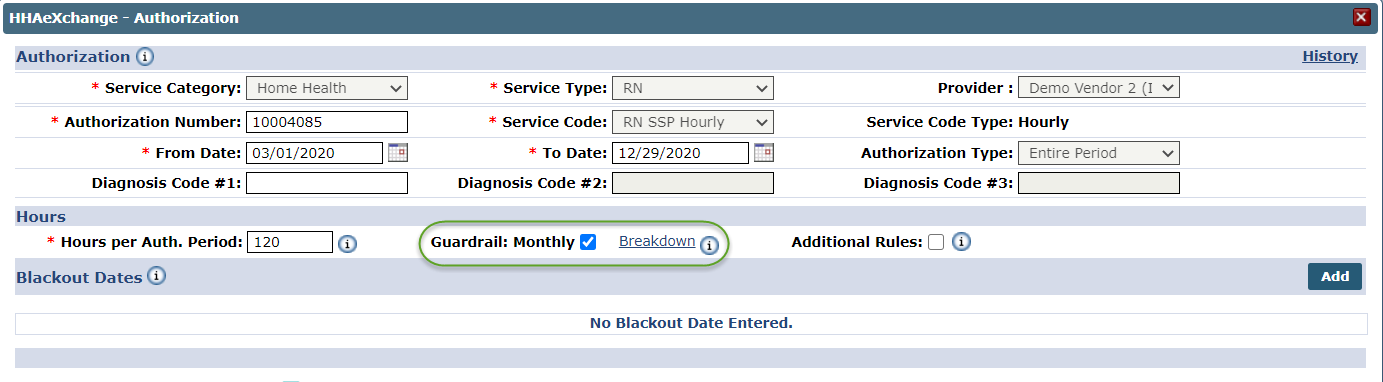
If deselected by a Payer, then the Payer Guardrail is removed for the Authorization. When removed, the Provider can use the Entire Period Authorization as customary without monthly limits.
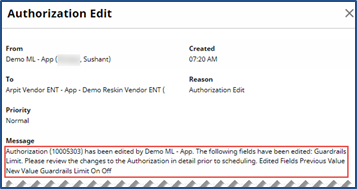
When a Payer edits and saves an Authorization with Guardrail Monthly limits, the system automatically generates a Patient Note and a Provider Email alert (if configured) for the Authorization Edit. Patient Notes can be viewed in the Home page and in the Patient General page.
The Authorization Edit note provides the reason for the edit.
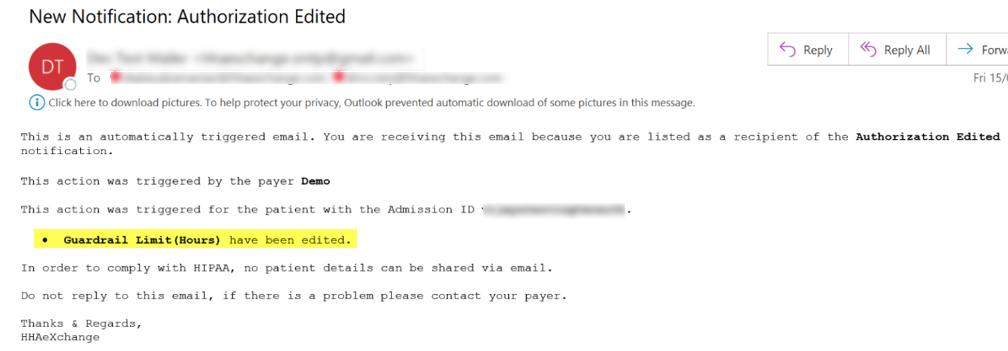
If the Provider has email alerts configured for Authorization Edits, then an email is also issued with the edit reason.
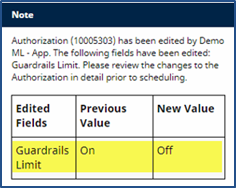
When a Payer turns the Guardrail feature on or off, the system automatically generates a Patient Note and a Provider Email alert (if configured) for the Authorization Edit. As seen in the following image, the Note contains a grid that includes the Guardrails Off under the New Value column as well as multiple Authorization Edits.
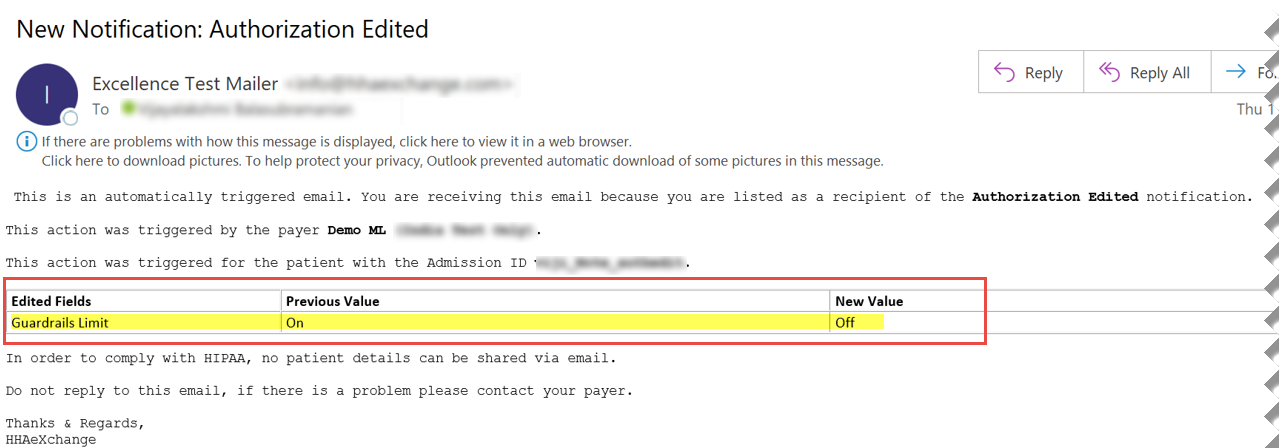
The image below illustrates the email alert including the Guardrail feature turned Off.
Other Resources
Enable Provider Profile General Page Options
How do I manage patient authorizations for linked contracts?