Admin Contract Setup
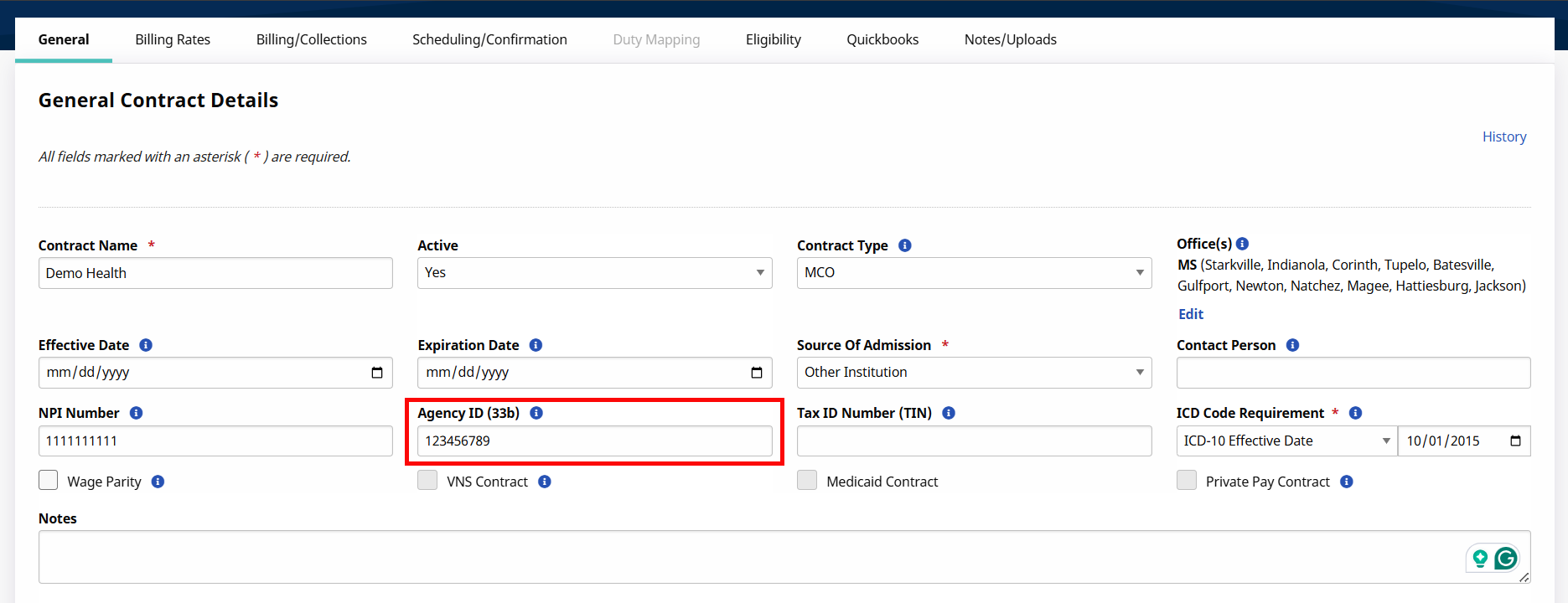
Go to Admin > Contract Setup > Search Contract to locate the Contract. UPR Linked Contracts are created on behalf of the Payer via the linking function (not by the Provider as with Internal contracts). Specific changes to highlight for UPR Linked Contracts are in the General, Billing Rates, and Scheduling/Confirmation tabs.
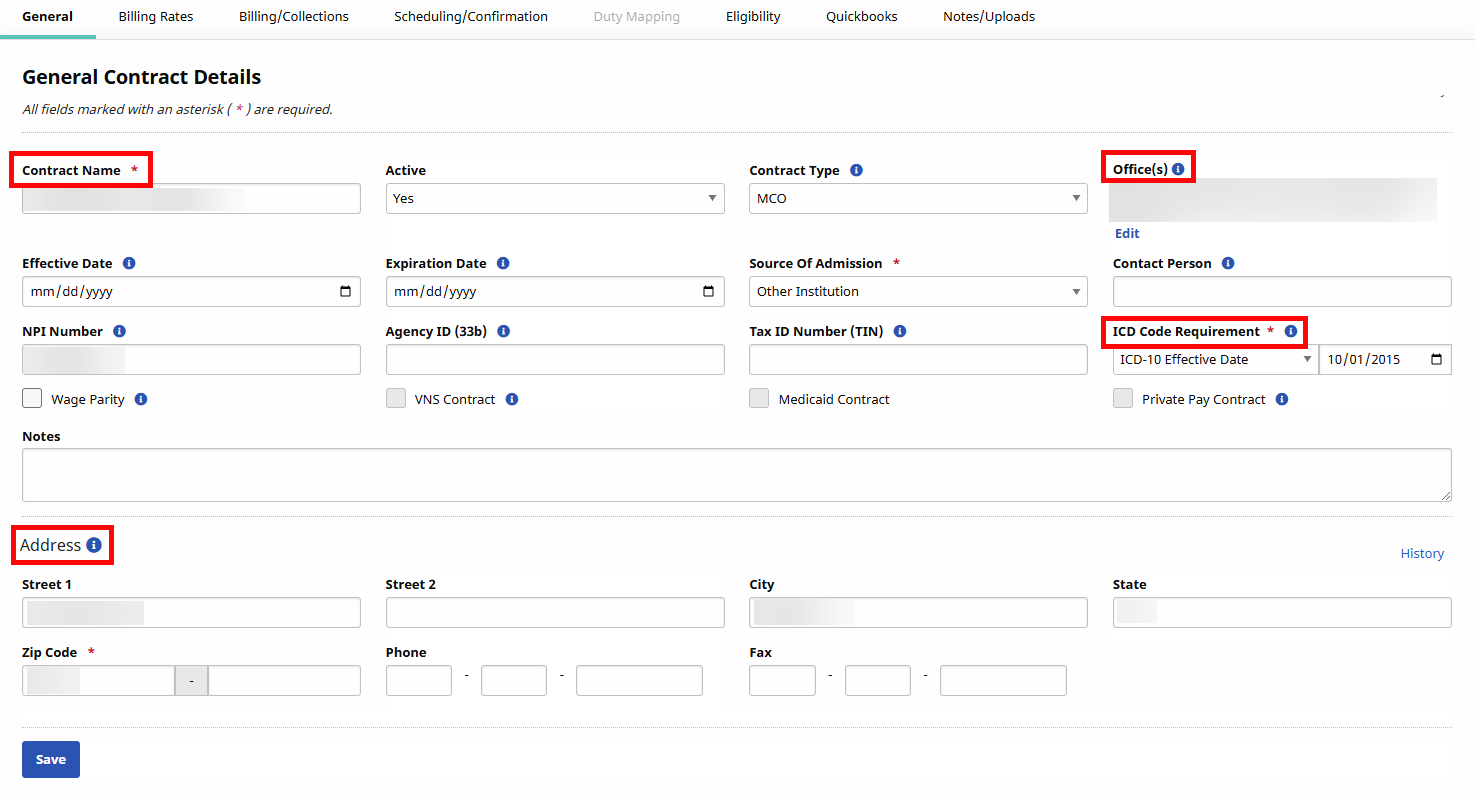
In the General tab, the following fields are read-only for Providers: Contract Name, Offices, ICD Code Requirement, as well as the entire Address section.
In the Billing Rates tab, the Edit and Update Rate links are enabled if the Payer allows the Provider to update rates. As stated in the Patient Rates Page section, rates can also be managed (controlled) in the Bill Info tab for a UPR Linked Contract visit, and in the Contract Setup/Billing Rates tab.
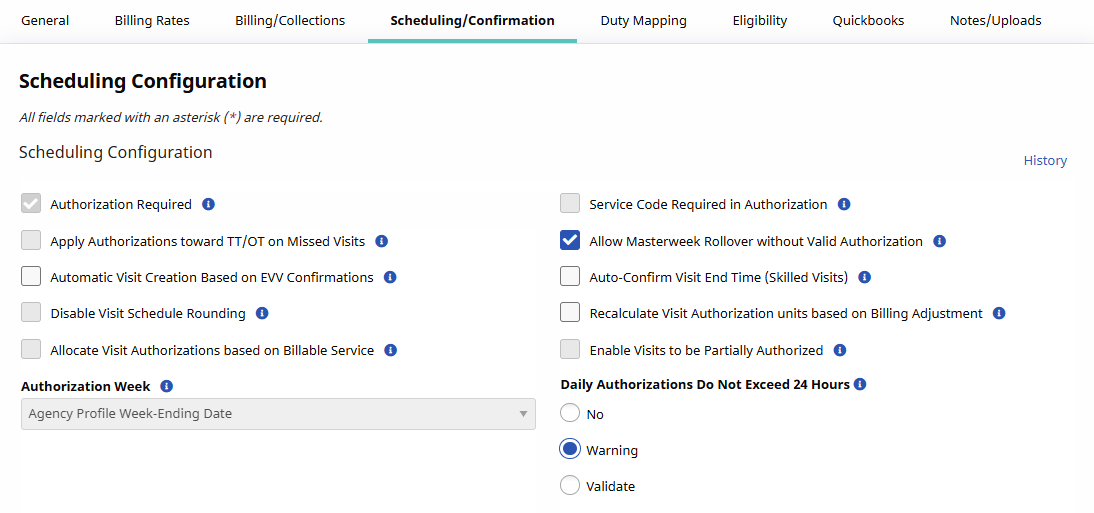
In the Scheduling/Confirmation tab, various fields are unavailable for Providers to edit. In the Scheduling/ Configuration section, the Authorization Required checkbox is preselected and the Authorization Week field is hard-coded for all UPR Linked Contracts as a standard. The Auto-Confirm Visit End Time (Skilled Visits) checkbox is unlocked allowing Providers to better manage UPR Linked Contracts.
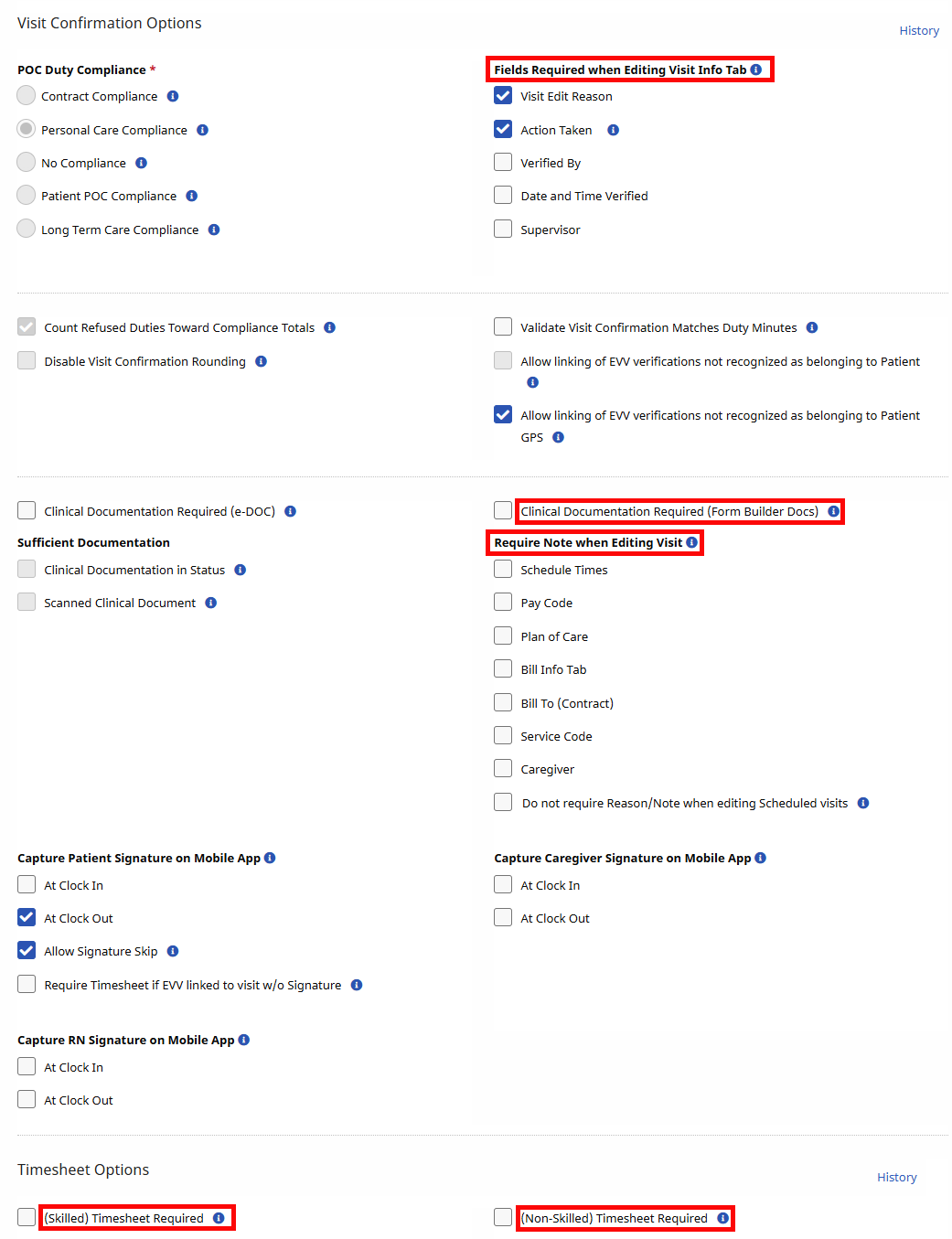
Providers have autonomy on other areas in the Scheduling/Confirmation tab such as requiring fields on the Patients’ Visit Info tab, Clinical Documentation, and Timesheets requirements.