Enable Person-Centered Plans
To enable the Person-Centered Plans feature for your agency:
-
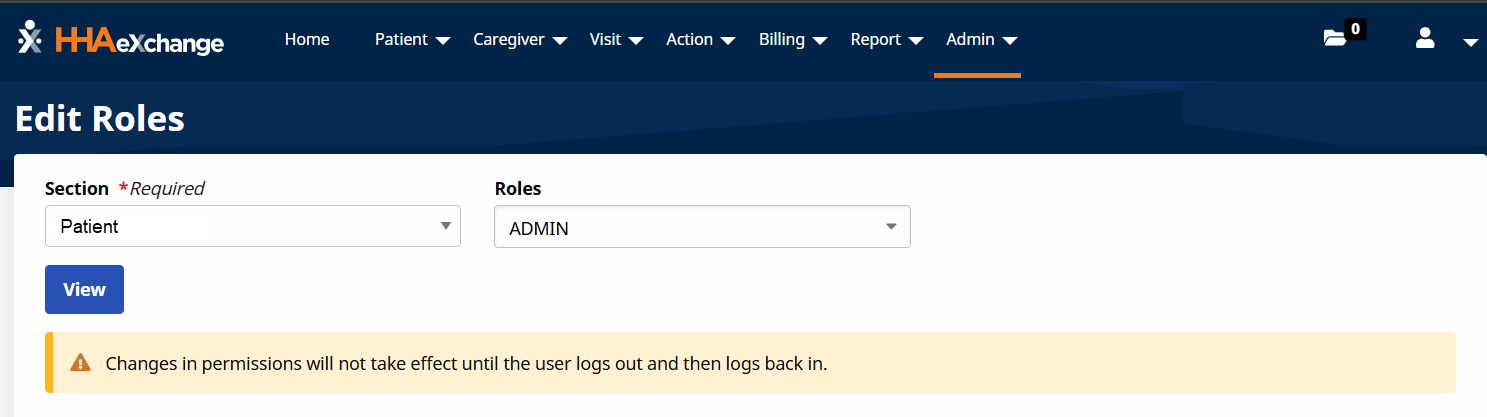
Go to Admin > User Management > Edit Roles.
-
Select Recipient in the Section field, select Admin in the Roles field and then select View.
-
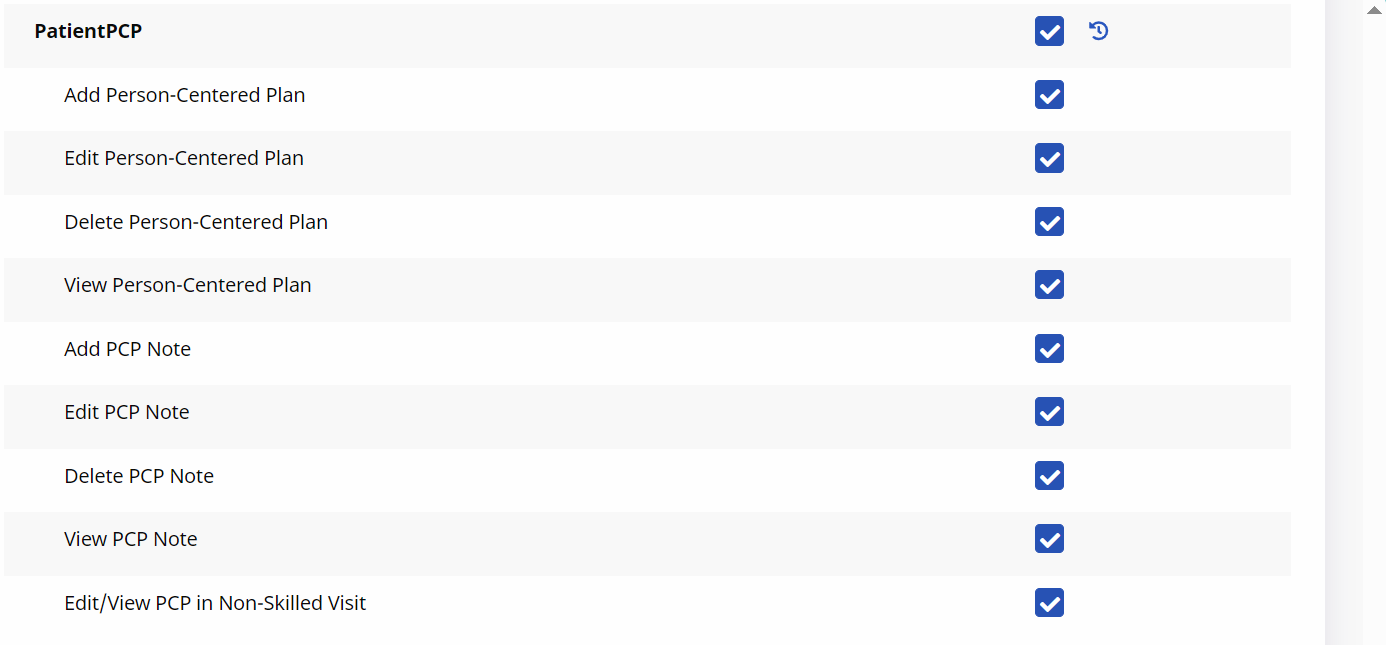
Scroll to the PatientPCP section and select all the check boxes in this section.
-
Select Save.