Person-Centered Plans (PCP)
The Person-Centered Plans (PCP) feature under Patient > Search > Select a Patient > POC/PCP > Person-Centered Plans (PCP) tab is used to create and track goals that help patients be self sufficient as a part of Care Planning in IDD/DDD programs.
Agencies create the PCP for the patient in the HHAeXchange portal and Caregivers track the progress of the PCP in the HHAeXchange Mobile App under the Goals feature.
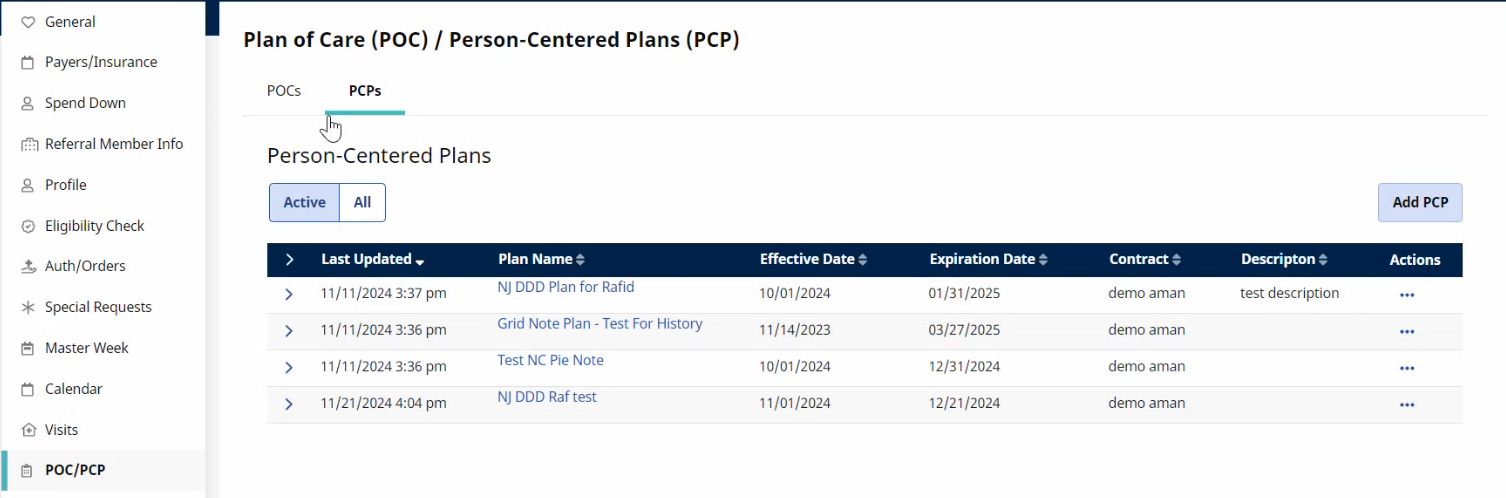
The fields and the field names that display may differ depending on the Report Type selected when adding a PCP.
This feature allows set up of the following:
-
PCP start date and end date
-
Problems/Milestones
-
Long term goals and outcomes
-
Short term goals and interventions

-
Go to Patient > Search Patient > from the side navigation menu select POC/PCP.
-
Select the PCP tab and then select the Add PCP button.
-
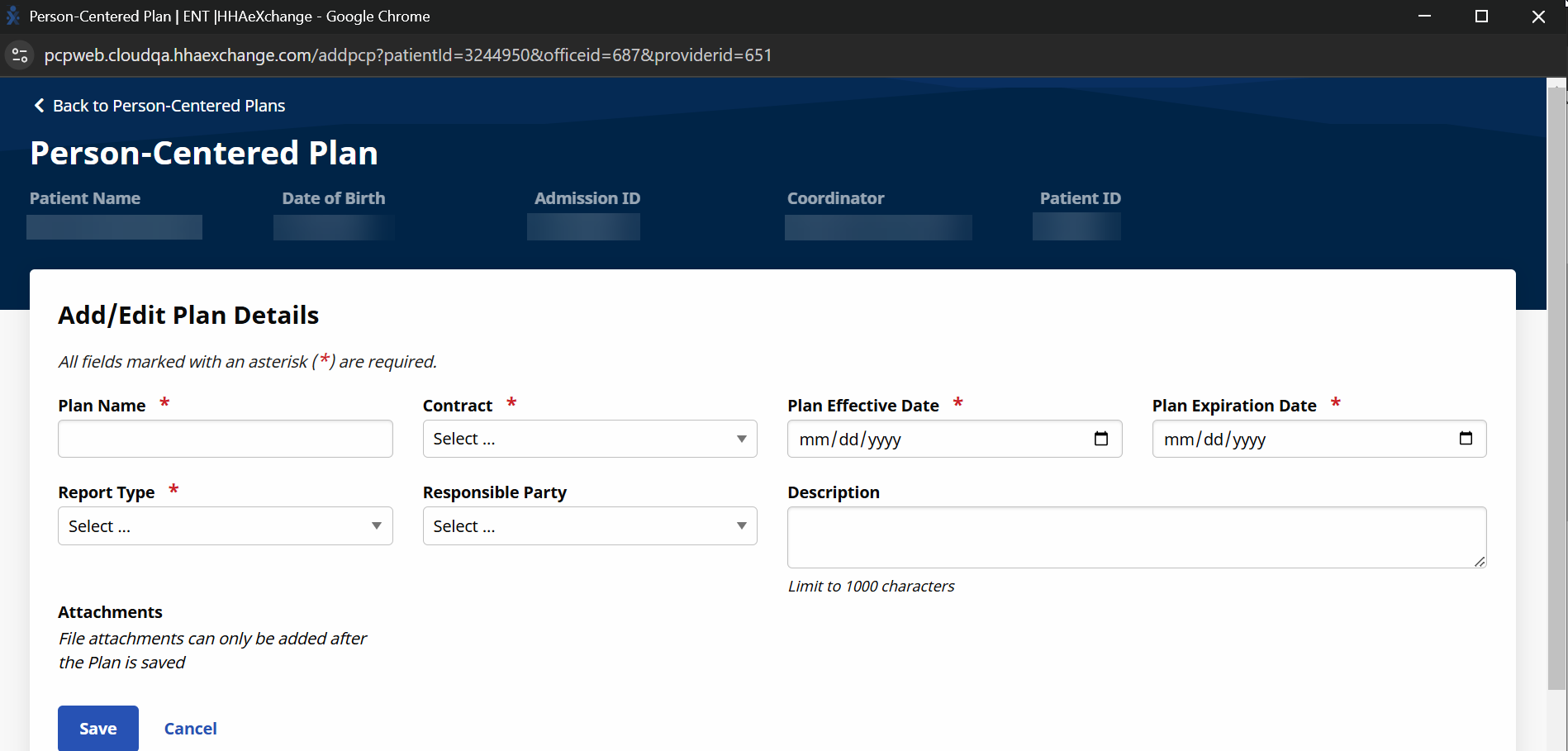
Fill in the Add/Edit Plan Details fields and then select Save.
-
Report Type - The Report Type field is a list of PCP templates specific to state IDD/DDD programs. The fields and the field names that display may differ depending on the Report Type selected.
-
Plan Expiration Date - The PCP is available to respond to in HHAeXchange and the HHAeXchange Mobile App until the Plan Expiration Date.
-
Contract - The Contract field maps to the Primary Bill To payer within the Schedule tab of the Non-Skilled Visit.
-
-
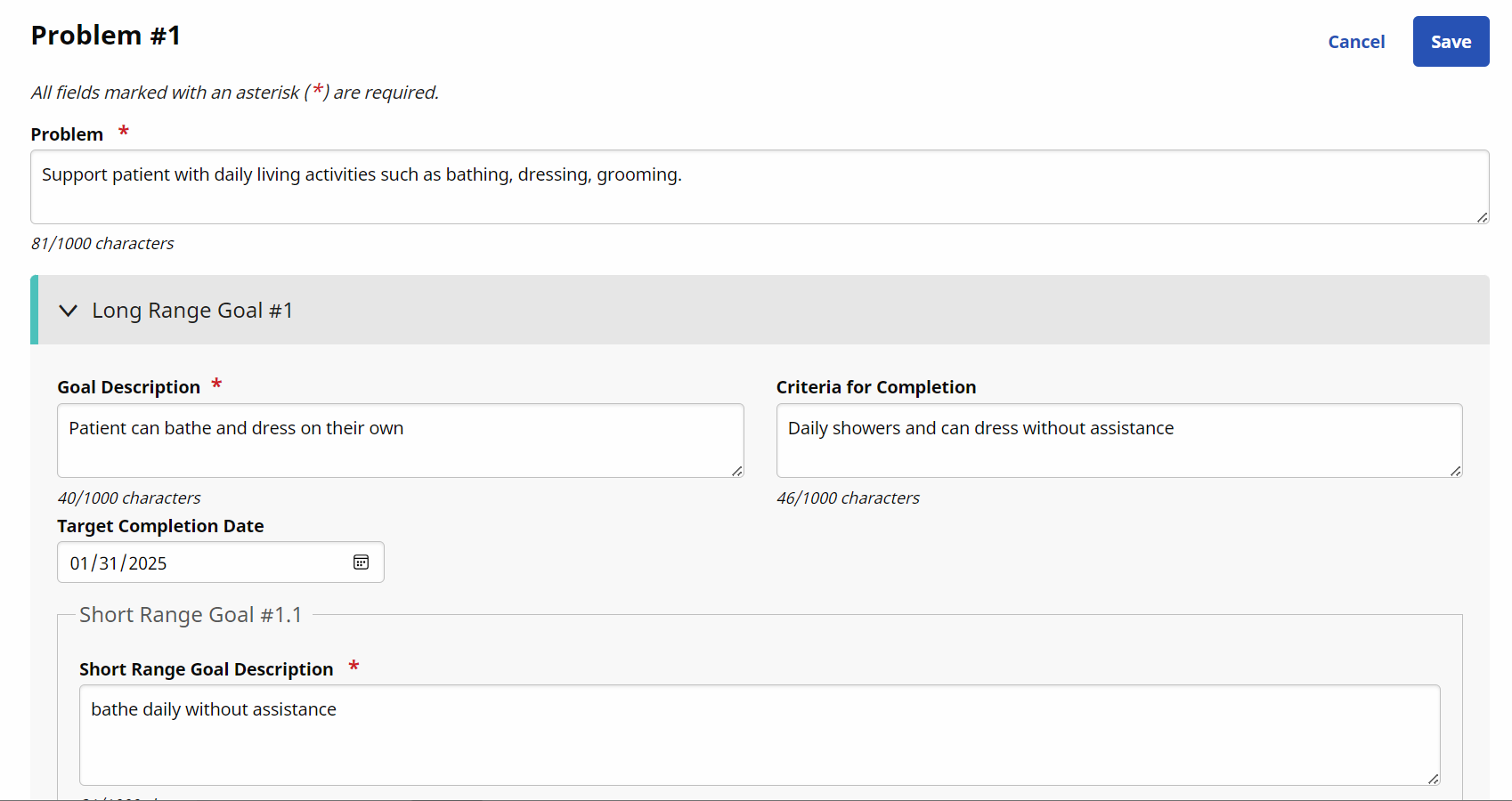
Enter details for Problem #1 in the Problem field. Each problem can have multiple Long Range and Short Range goals. Create details in as many Problem(s) to reach the successful goal.
In the Long Range Goal #1 section enter a Goal Description, Criteria for Completion, and a Target Completion Date.
-
Each long range goal has a Short Range Goal #1.1 section. Create as many short range goals to complete the long range goal.
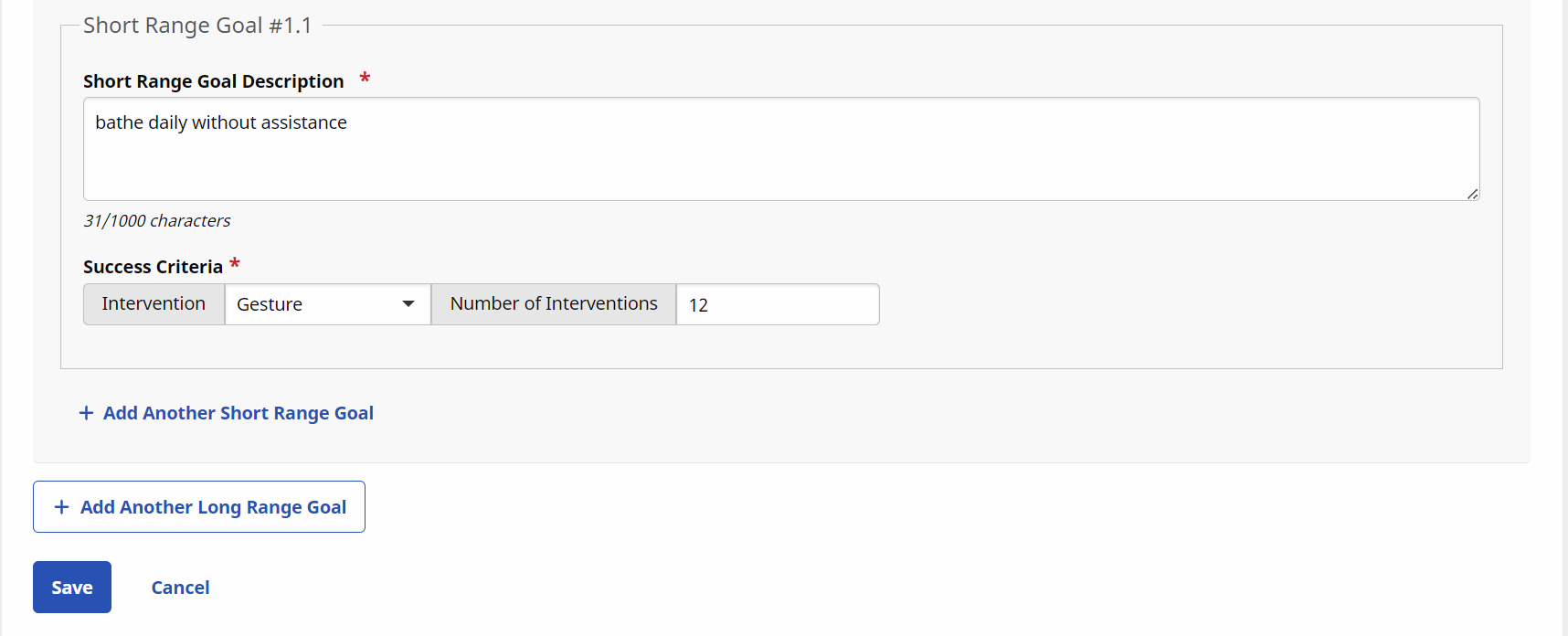
Under Success Criteria:
-
Select an option in the Intervention field to track the success of the short range goal for each visit.
-
In the Number of Interventions field, define the number of interventions to pass or fail the patient for the short range goal. If the patient exceeds the number of interventions, they fail the short range goal.
-
-
Go to Patient > Search Patient > from the side navigation menu select Calendar.
-
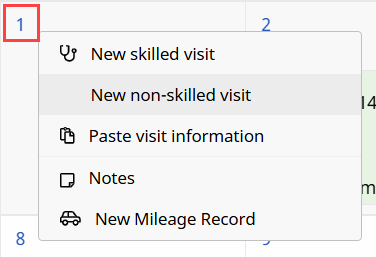
Click the date number link at the top-left of the Calendar cell and select New non-skilled visit from the options.
-
Select the Visit Info tab on the Non-Skilled Visit window.
-
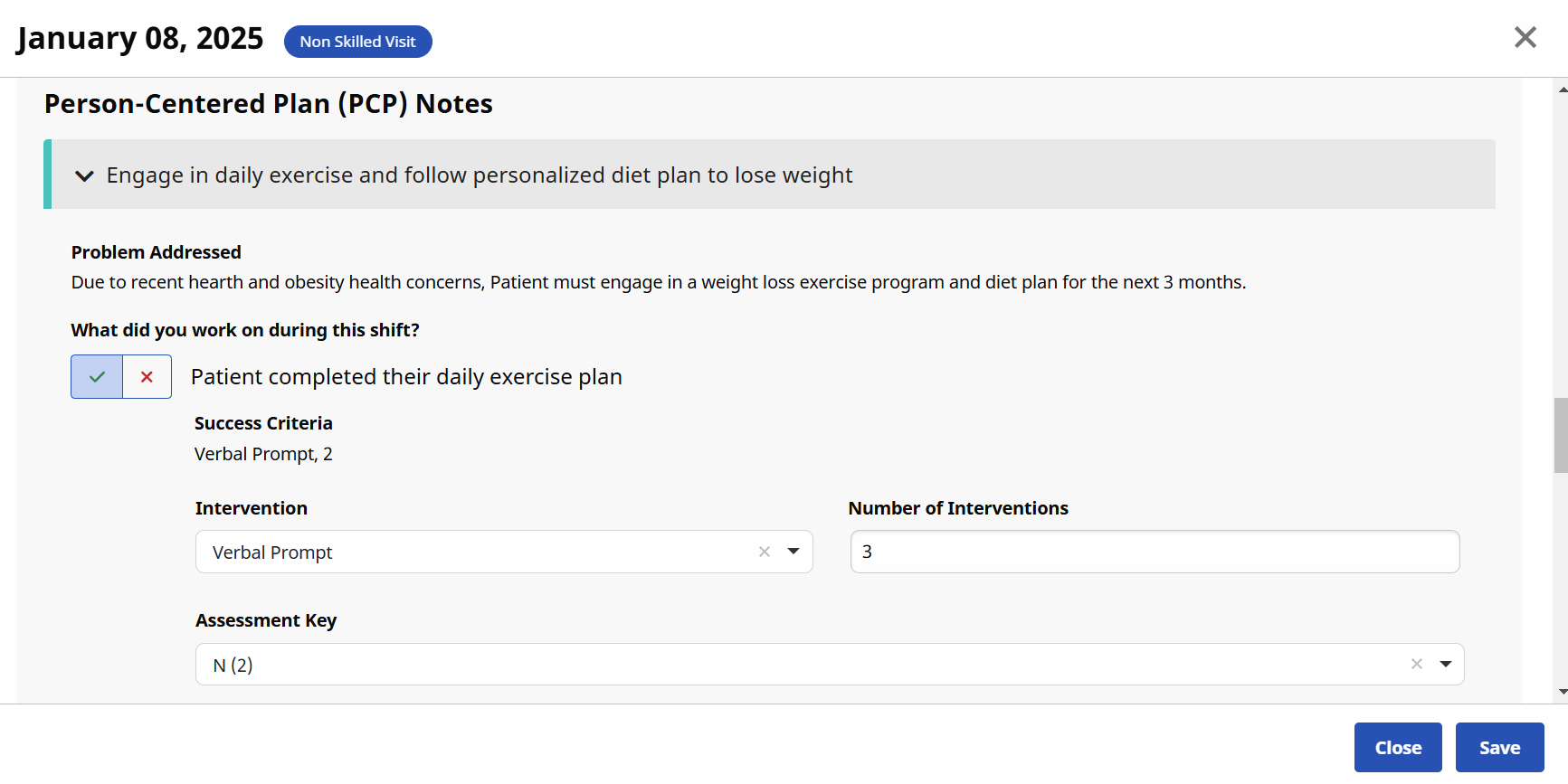
Scroll to the Person-Centered Plans (PCP) Notes section and complete all fields.
Click the Update Note Status
 button if applicable to update a note entered by the Caregiver on the mobile app.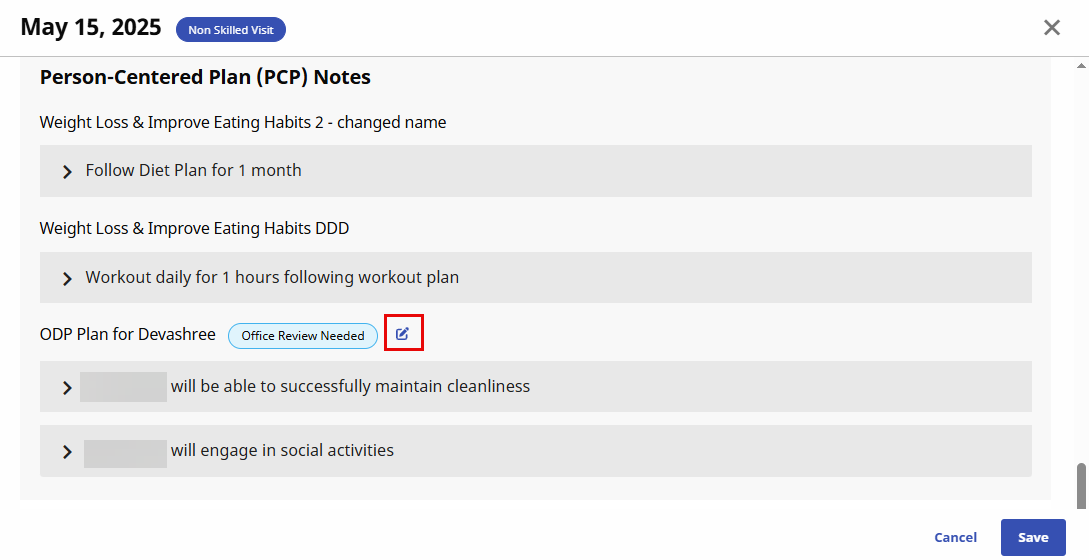
-
Select Save.
The Visit Notes section of PCP displays completed data the Caregiver entered in Goals section of the Mobile App during the Visit.
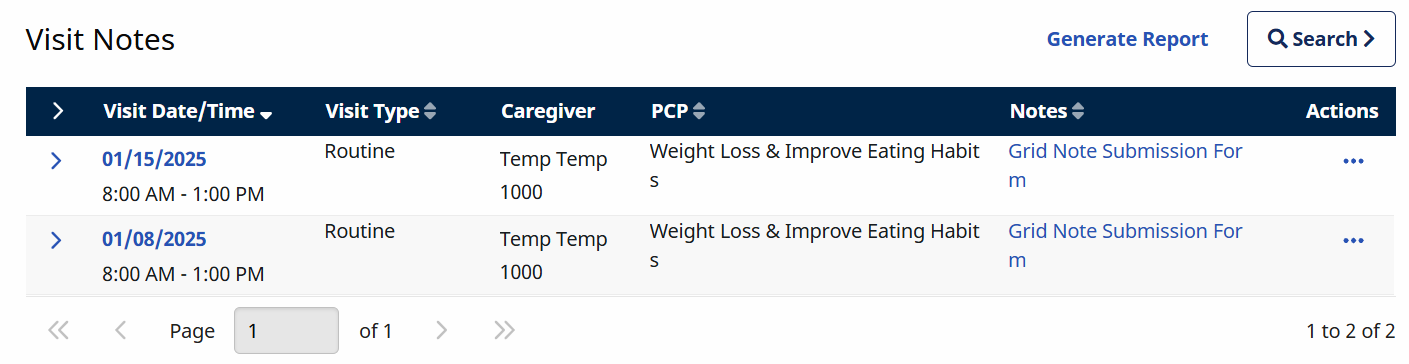
-
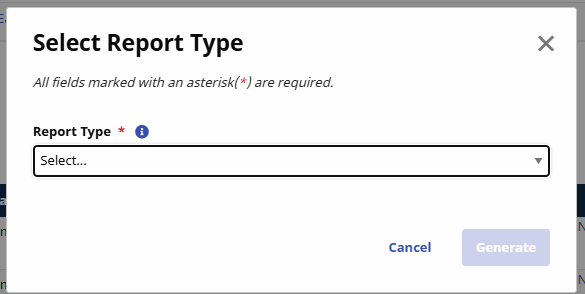
Select the Generate Report button, select the Report Type, and then click Generate to download the report as a .csv or PDF file. This feature allows you to print multiple Visit Notes in a Grid layout or the original PCP report template.
-
Select the date under the Visit Date/Time column to edit or view visit details.
-
Select the note under the Notes column to open the Notes window.
-
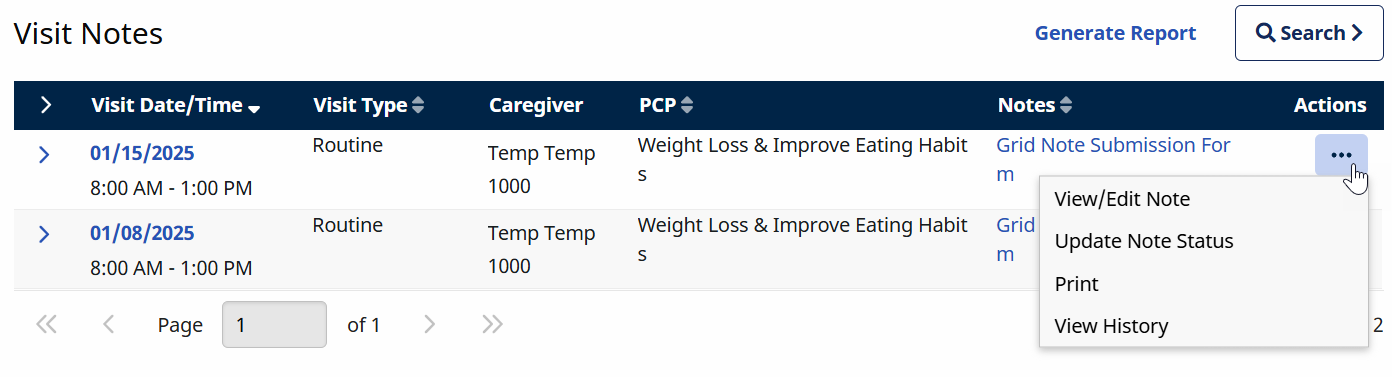
Click the Ellipses...under the Actions column to:
-
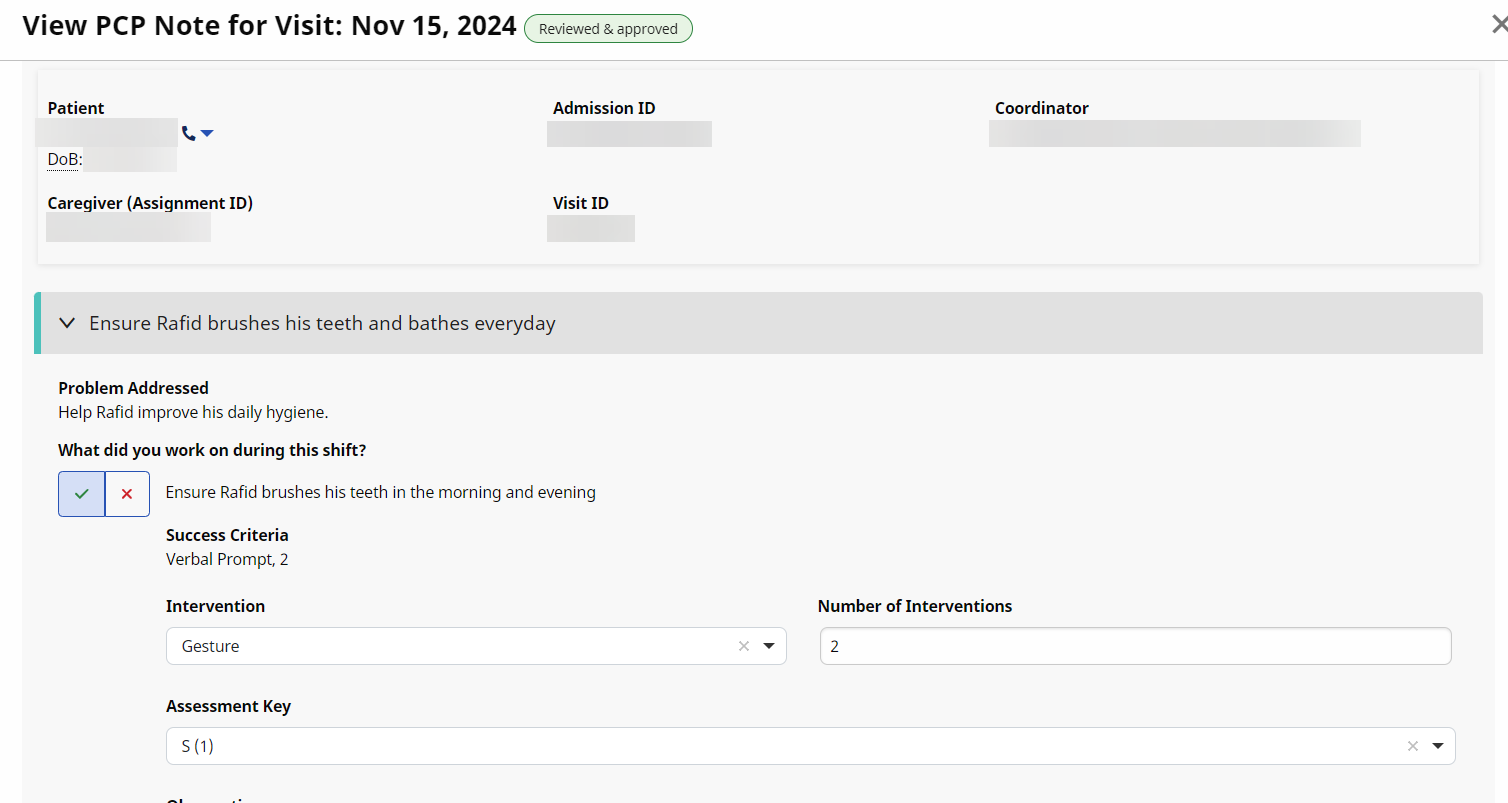
View/Edit Notes
-
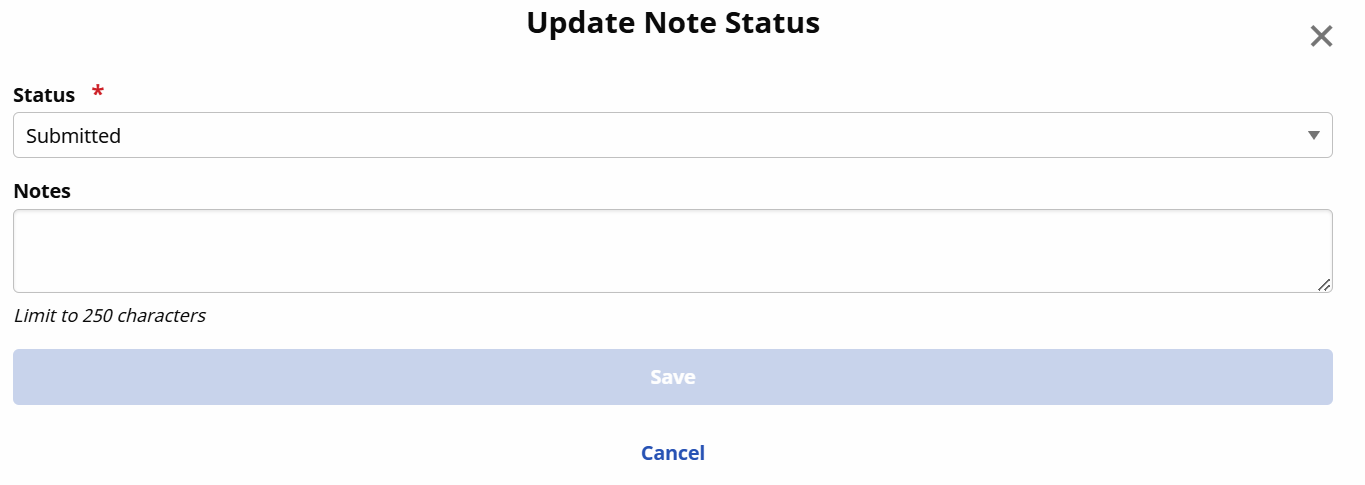
Update Note Status
-
Submitted
-
Office Review Needed
-
Needs Revision
-
Reviewed & Approved
-
-
Print
-
View History
-
Delete
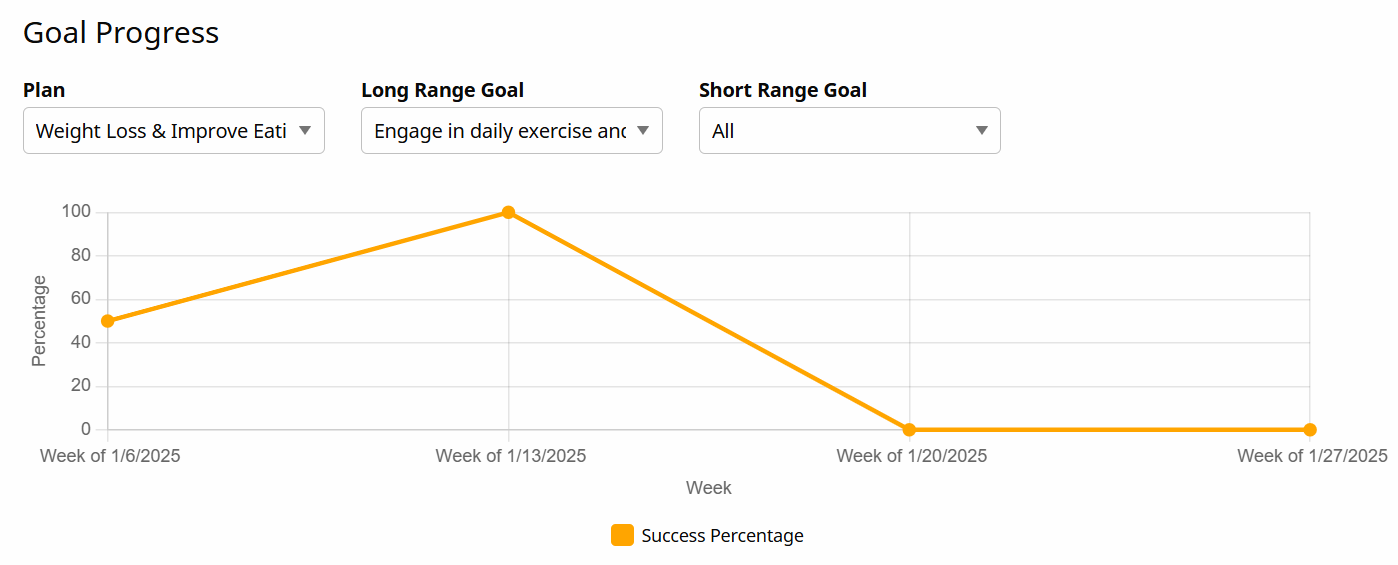
The Goal Progress chart displays the progress the patient makes toward the Person-Centered Plan. The chart updates automatically when the Caregiver completes the Goals section in the Mobile App.
Filter the Goal Progress results by Plan, Long Range Goal, and Short Range Goal.