Cohorts Tab
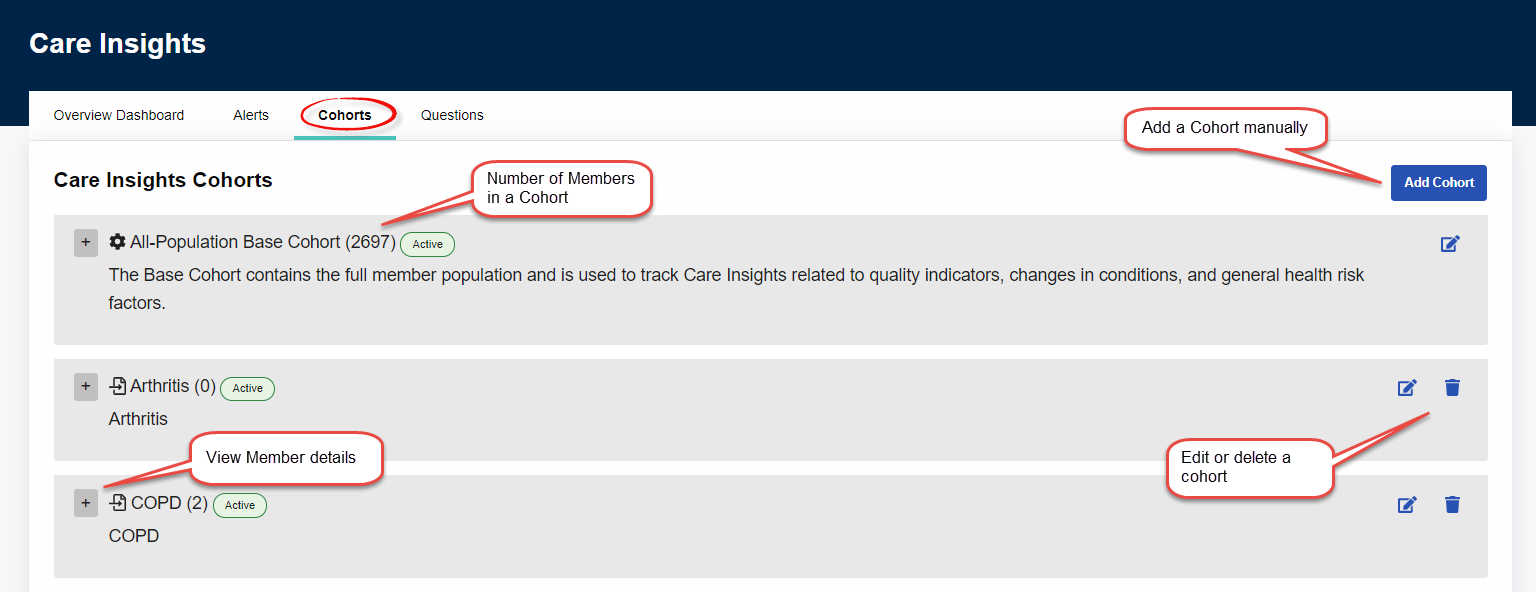
To access Care Insights Cohorts, click the Cohorts tab at the top left of the Care Insights page under Provider & Caregiver > Care Insights.
On the Cohorts tab, a user adds, edits, and deletes the Cohorts to which Member questions are assigned. Members in each Cohort can be viewed or deleted (excluded from a Cohort).
The Cohorts tab always contains an All-Population Base Cohort that holds all active Members in the system. Additional Cohorts can be added through an integration with HHAeXchange or manually uploaded from the Cohorts tab in a .csv file.
The following image contains an example of the Cohorts tab.