Conflict Summary Page
The Conflict Summary page under Provider and Caregiver > Conflict Management Dashboard is designed to help providers and payers quickly identify and resolve instances where the same caregiver is scheduled for overlapping visits at two different agencies. Use the following searches to find the conflicts quickly.

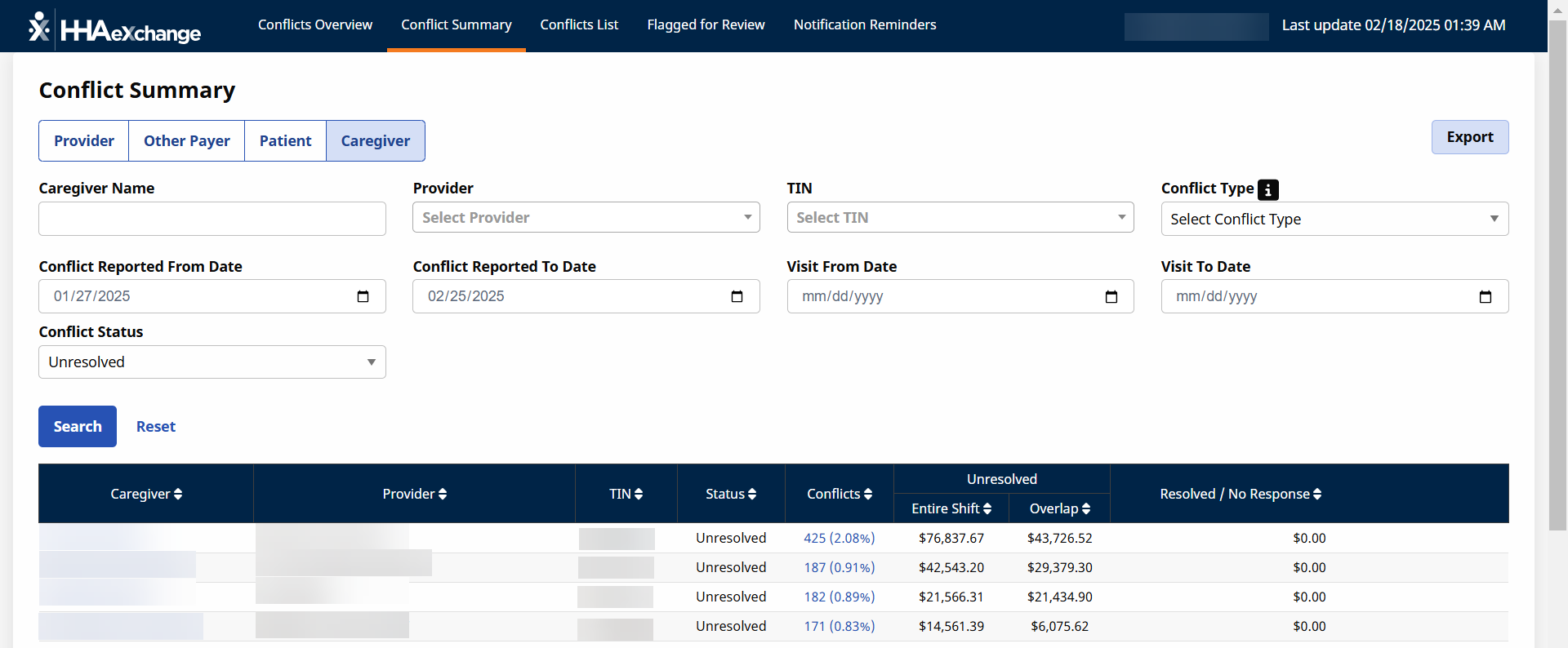
The Caregiver Conflict Summary results under Provider and Caregiver > Conflict Management Dashboard list conflicts for caregivers associated with the conflicts reported.
Use the filters at the top of the screen to list conflicts meeting the criteria selected. Once desired filters are entered, click Search to refresh the list. Select the Caregiver field to open the Conflicts List page.
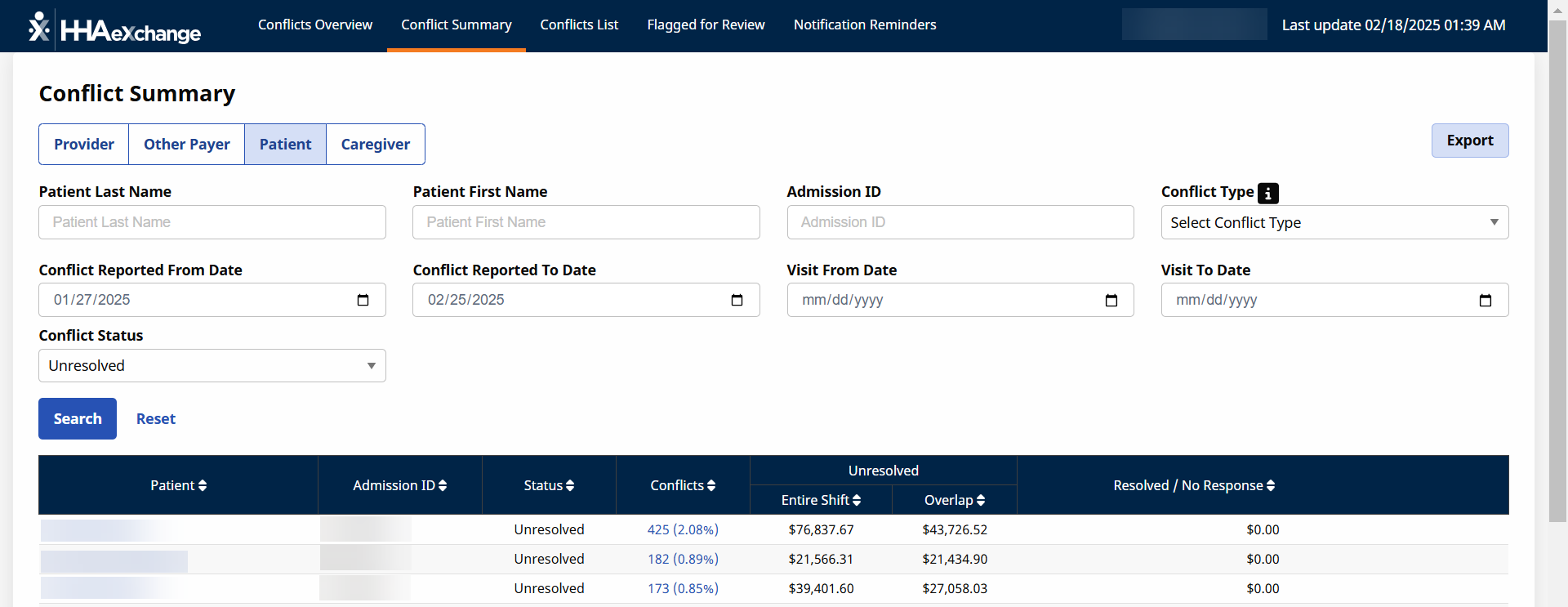
The Patient Conflict Summary results under Provider and Caregiver > Conflict Management Dashboard list conflicts for clients associated with the conflicts reports. The Client’s Admission ID is Restricted for those patients associated with a different payer.
Use the filters at the top of the screen to list conflicts meeting the criteria selected. Once desired filters are entered, click Search to refresh the list. Select the Patient field to open the Conflicts List page.
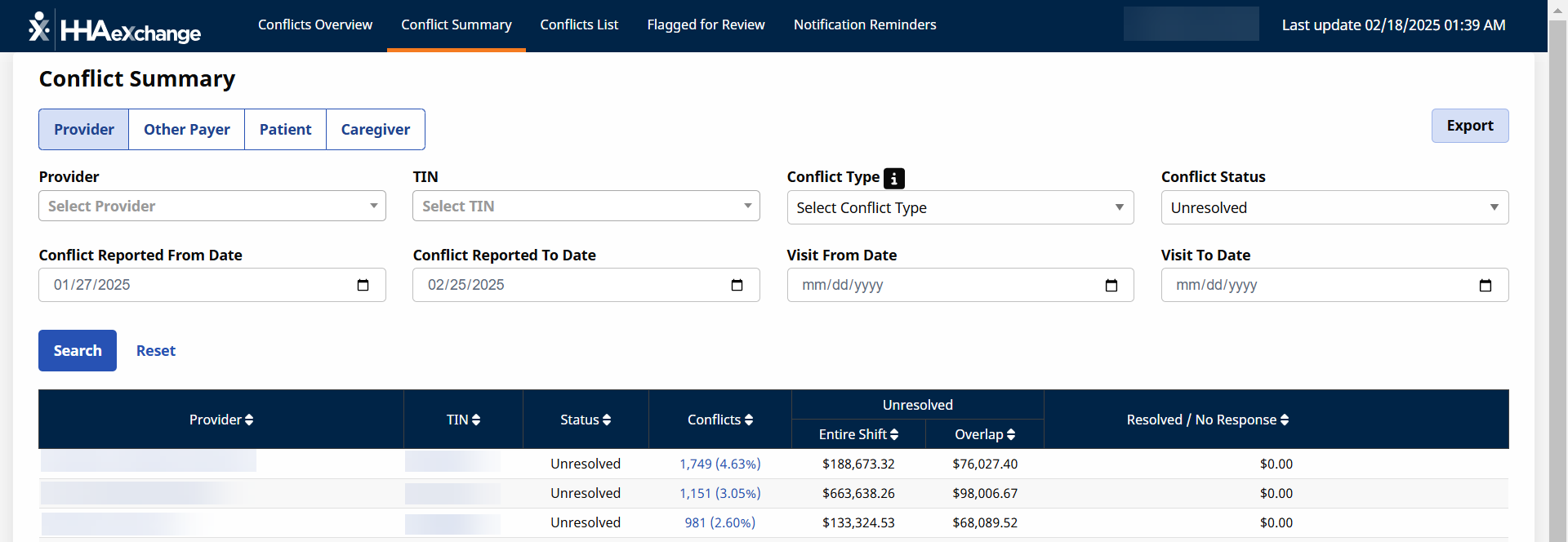
The Provider Conflict Summary results under Provider and Caregiver > Conflict Management Dashboard list conflicts for providers associated with your payer.
Use the filters at the top of the screen to list conflicts meeting the criteria selected. Once desired filters are entered, click Search to refresh the list. Select the Provider field to open the Conflicts List page.
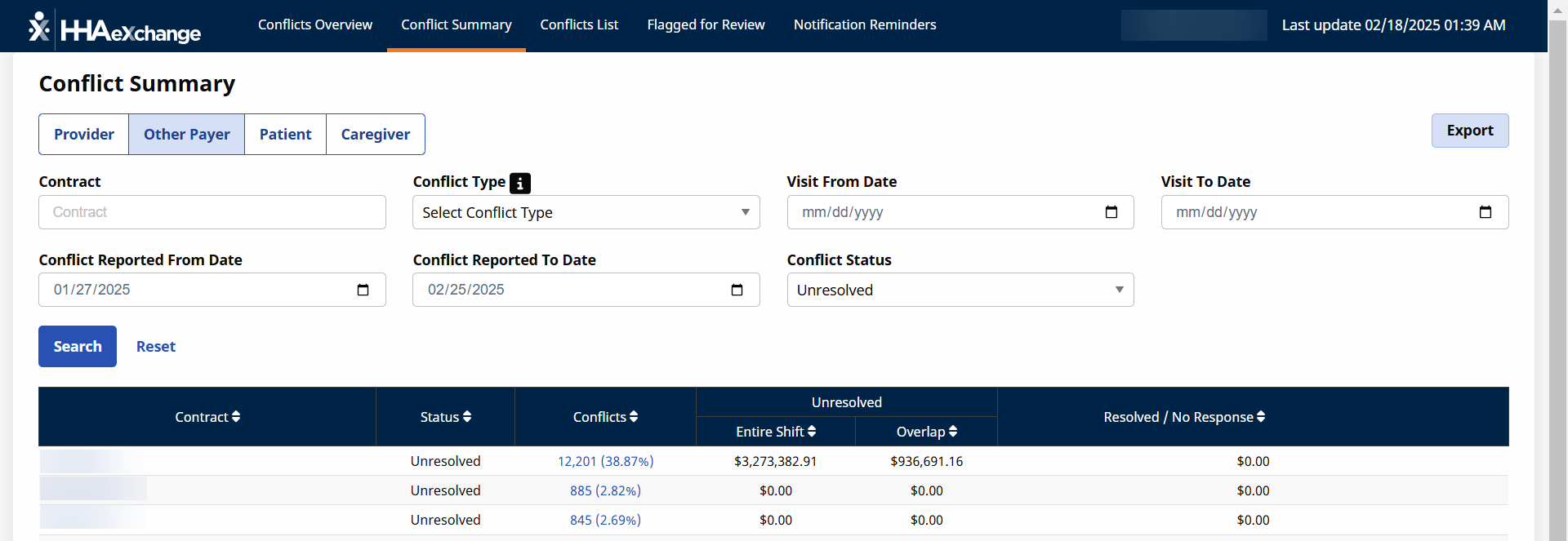
The Other Payer Conflict Summary results under Provider and Caregiver > Conflict Management Dashboard list conflicts for payers associated with conflicts for your payer.
Use the filters at the top of the screen to list conflicts meeting the criteria selected. Once desired filters are entered, click Search to refresh the list. Select the Contract field to open the Conflicts List page.
By default, only 10 conflicts display per page. Select the dropdown to change how many conflicts display per page. Use the arrows to navigate between pages of conflicts.

Click Export as CSV to download the contents of the conflict list.