BillSync Process for Contracts
This feature is activated by HHAeXchange System Administration. Contact HHAeXchange Support Team for details, setup, and guidance.
The BillSync process provides a fully integrated, end-to-end billing and remittance workflow that reduces manual tasks, and enhances data visibility. Through partnerships with Clearinghouses, HHAeXchange generates the 837 Claim Data to send to payers for claim adjudication.
This section covers each phase of the BillSync process for Contracts.

Complete the Prebilling Review. For steps to complete Prebilling, see Review Visits on the Prebilling Page.
-
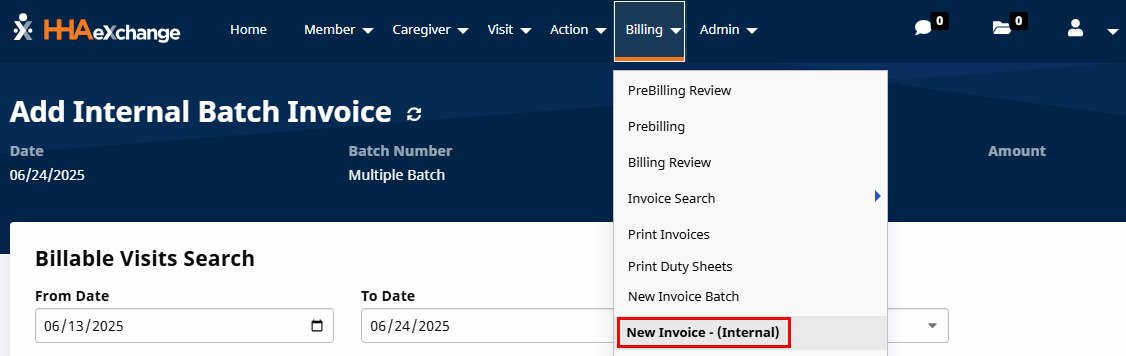
Go to Billing > New Invoice - (Internal) to generate a New Invoice Batch. Use the filters to search for specific visits or click Search to generate all results.
-
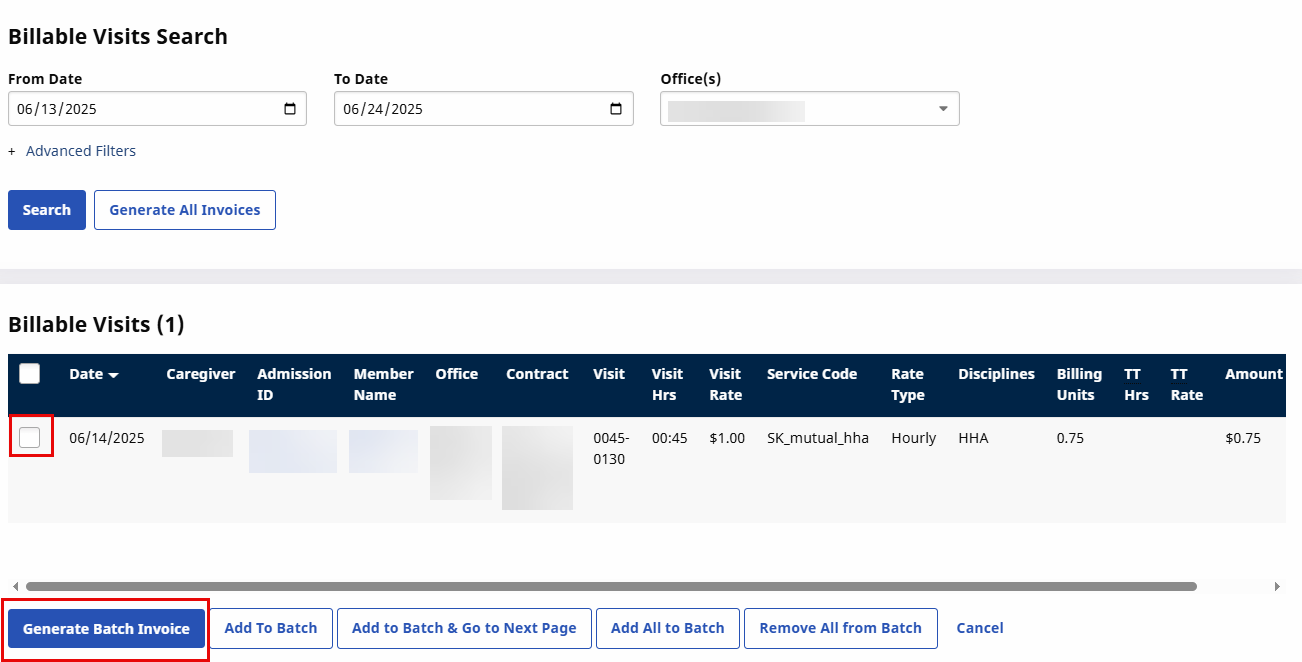
Select the visits to invoice and then click the Generate Batch Invoice button.
-
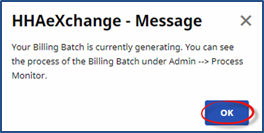
The system alerts the Billing Batch is generating. Click OK to continue.
Complete the Billing Review. For steps to complete Billing review, see Billing Review
-
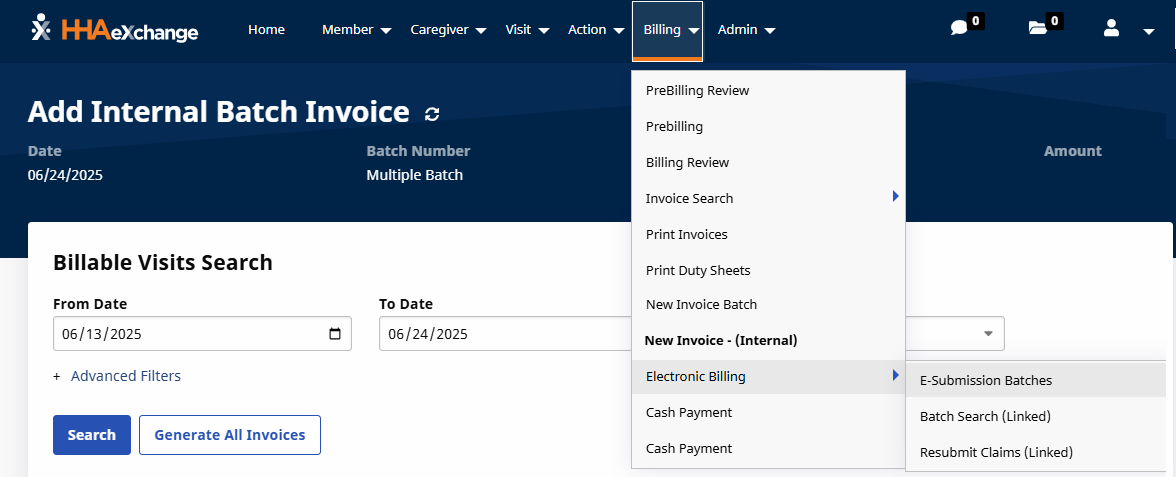
Go to Billing > Electronic Billing > E-Submission Batches to generate a New Batch Claim.
-
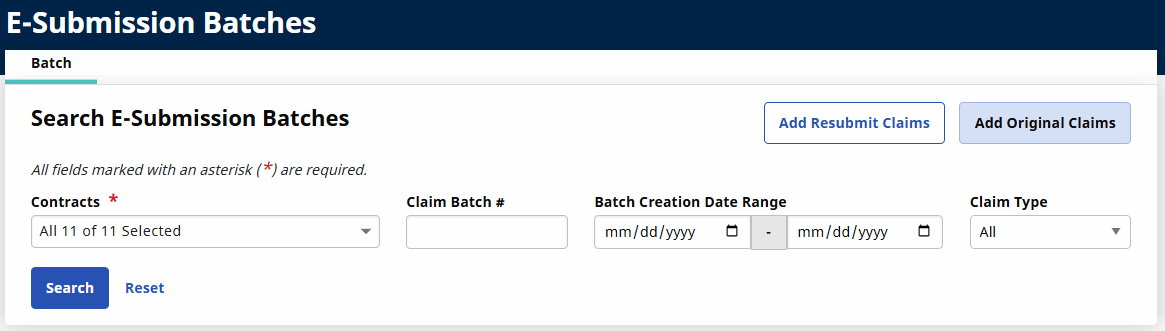
On the E-submission Batch page, select the Contract from the Contract field and then click the Add Original Claims button.
-
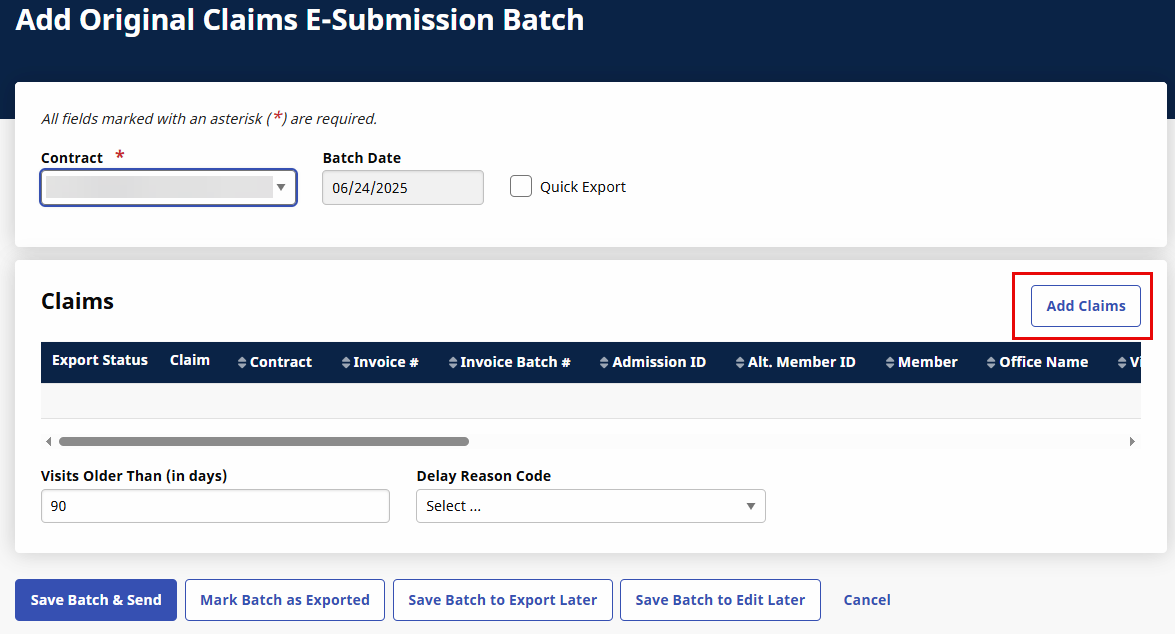
On the Add Original Claims E-Submission Batch page, select the Contract from the Contract field and then select the Add Claims button.
-
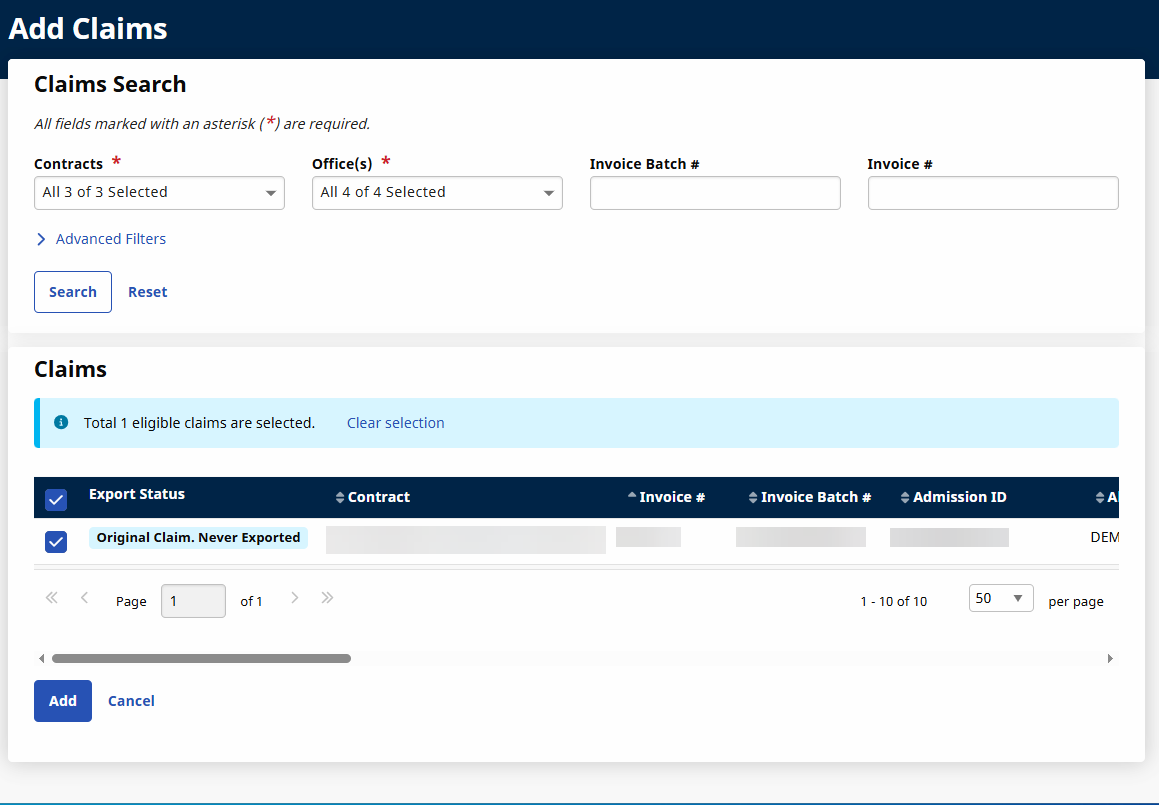
On the Add Claims page, select the batch(es) to submit and then click the Add button.
-
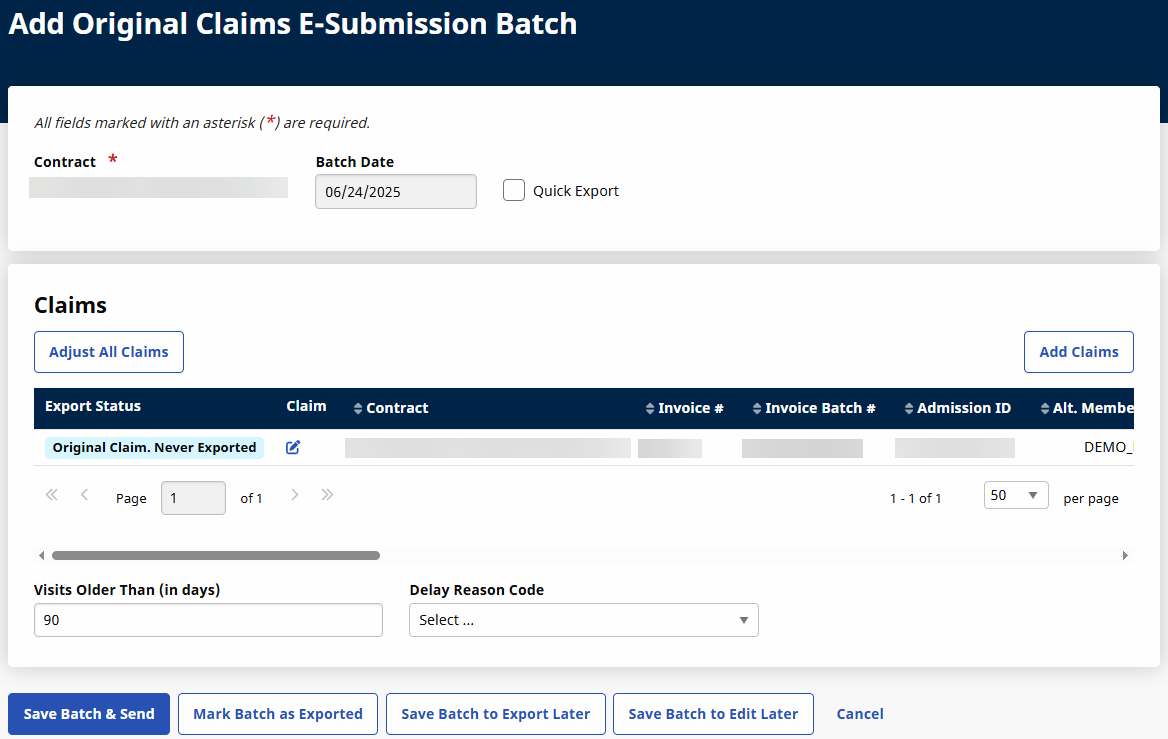
The claims appear on the Original Claims E-submission Batch page. Click the Save Batch & Send button to send the claims to the Clearinghouse for claims processing.
-
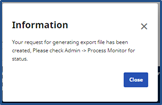
The system alerts that the export file is generating. Click Close to continue.
-
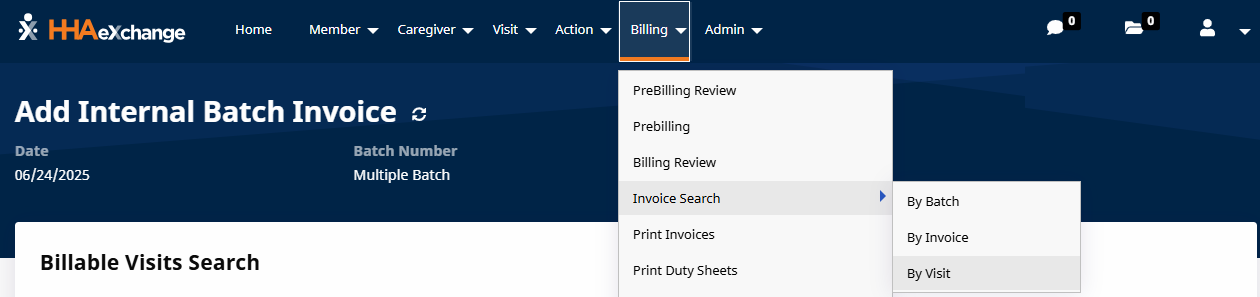
Go to Billing > Invoice Search > By Visit.
-
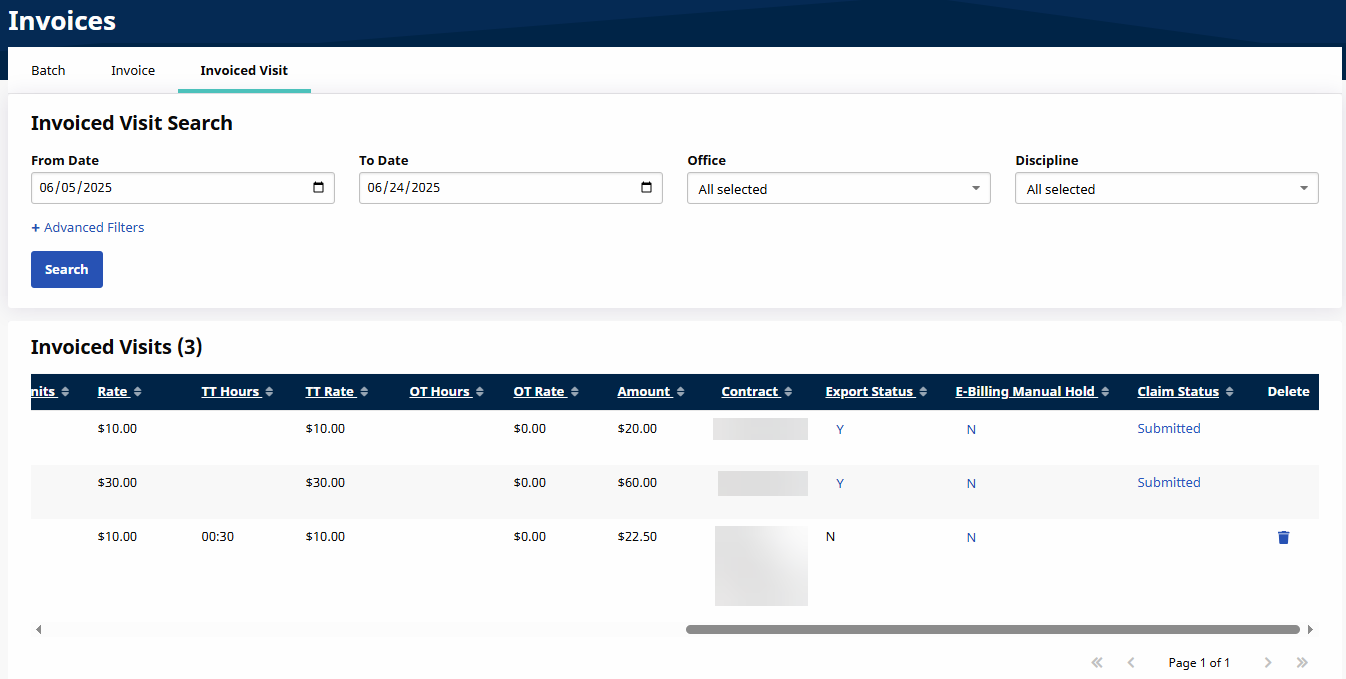
On the Invoiced Visit tab, use the search filters to locate the Invoice.
-
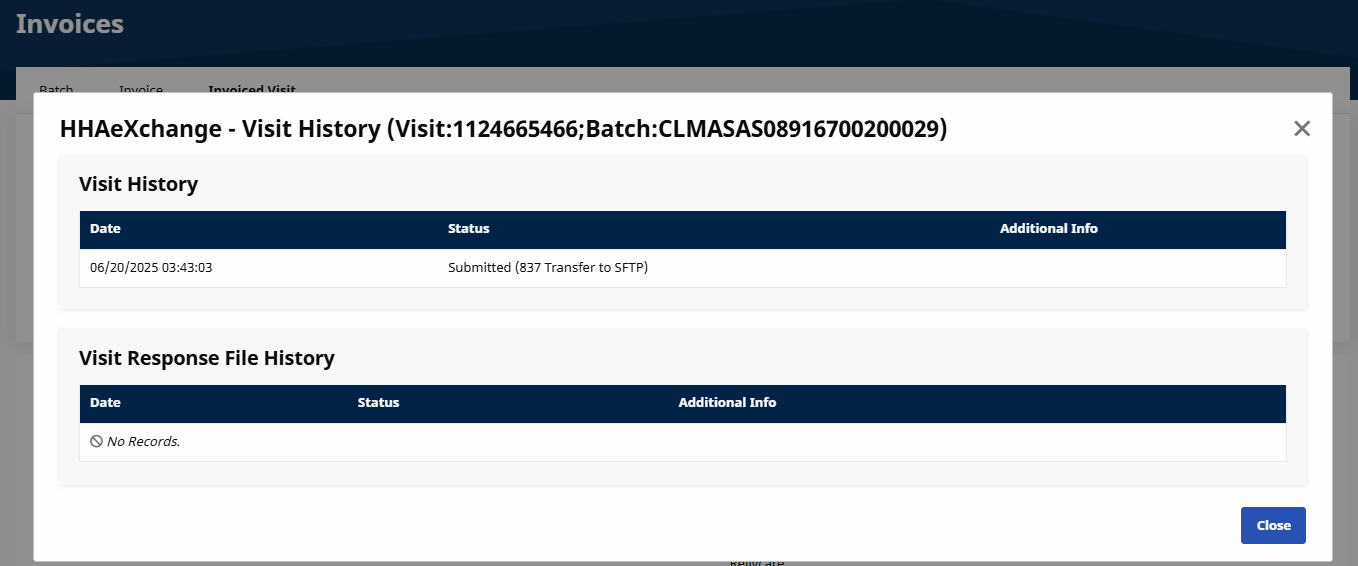
Click the Status link in the Claim Status column to view the Visit History.
An Electronic Remittance Advice (ERAs), known as 835, is an electronic version of the Provider Explanation of Benefits (EOB). The 835 represents an electronic breakdown of the reimbursement decisions from the Payer. 835 files are used by practices, facilities, and billing companies to auto-post claim payments into practice management systems.
HHAeXchange can apply the 835 data directly into the Provider’s accounts receivables, if the Provider shares the 835 files via HHAeXchange. Payments can also be posted manually in the Provider Portal.
ERA enrollment timelines vary. Some payers activate immediately upon request. Others Payers require 3-4 weeks for additional steps. (e.g., external portals or paperwork).
Some Payers disable paper remittances as soon as enrollment is initiated.
Once enrolled, all of your ERA’s are routed to HHAeXchange. Some ERAs may contain transactions billed outside of HHAeXchange, and requires manual reconciliation in the other billing system. If an ERA is not reconciled within HHAeXchange, then it is left on the SFTP file location for manual pick up and processing. They are placed in folders that correspond to the payer name supplied in the 835.
If you need help accessing your SFTP file, see SFTP Setup or SFTP Configuration.
To review 835 on the E-Remittance feature, see E-Remittance.
This feature is activated by HHAeXchange System Administration. Contact HHAeXchange Support Team for details, setup, and guidance.