Interim Orders
An Interim Order is an addendum to an active MD Order. Interim Orders are issued for changes in medication, the type of service the Patient receives, or the frequency of service.
For more information on MD Orders, see MD Orders Page.

To enter an Interim Order:
-
Go to Patient > Patient Search and select a Patient.
-
Select the Interim Orders link from the left navigation panel.
-
Click the Add button to create an Interim for a Patient.

-
The Interim Order window opens. Fill out the required fields, which are marked by a red asterisk.
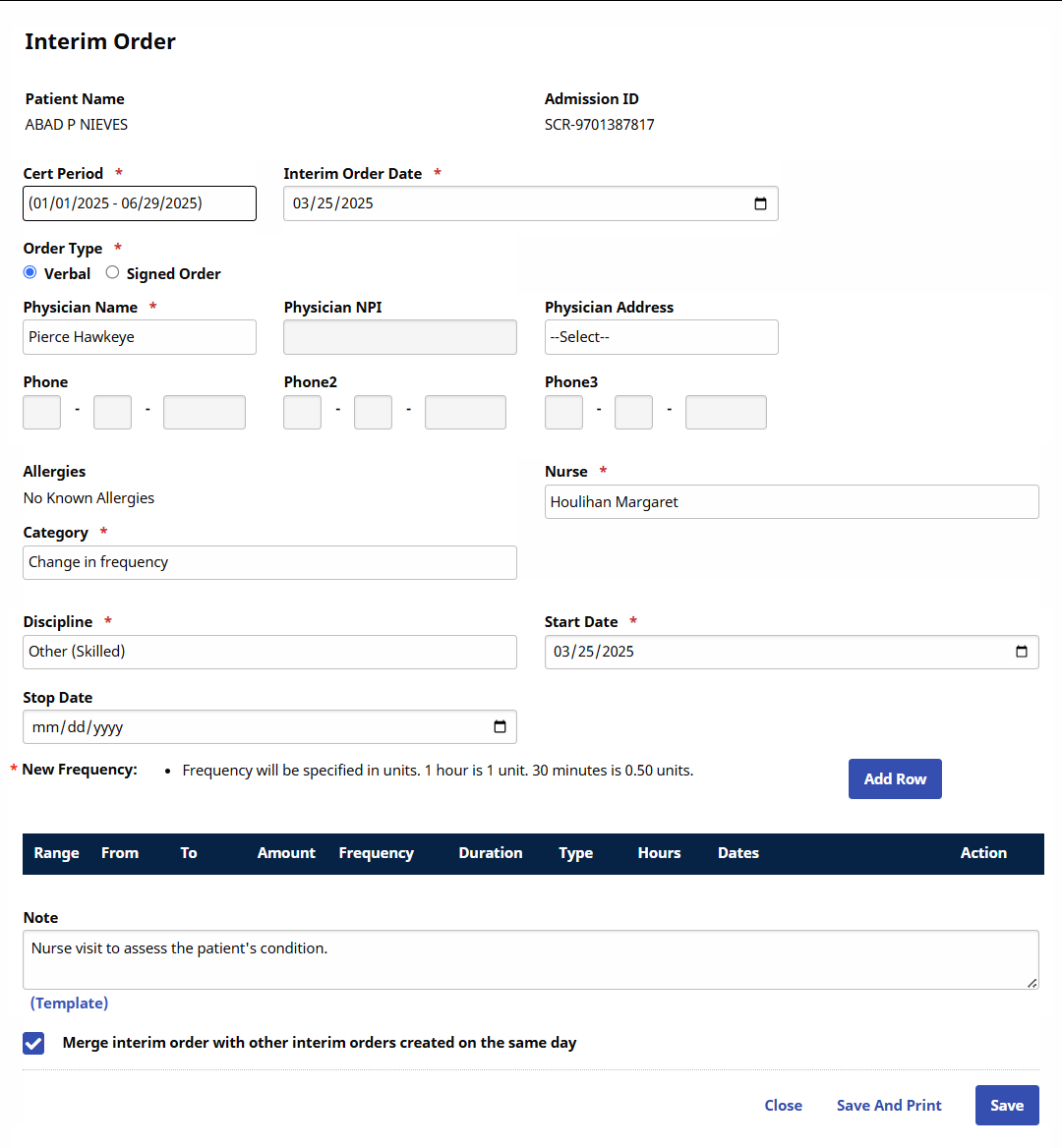
Field
Description
Cert Period
Select the applicable Certification Period.
Interim Order Dates
The date the Interim Order is issued.
Order Type
Select if a Verbal or Signed Order.
Physician Name
Select the ordering Physician.
Upon selection, the Physician’s address and phone numbers populate in said fields.
Nurse
Select the Patient’s nurse.
Category
Select the reason for the order. The selected Category field determines the remaining fields to complete.
Start Date
The date in which the order is executed.
-
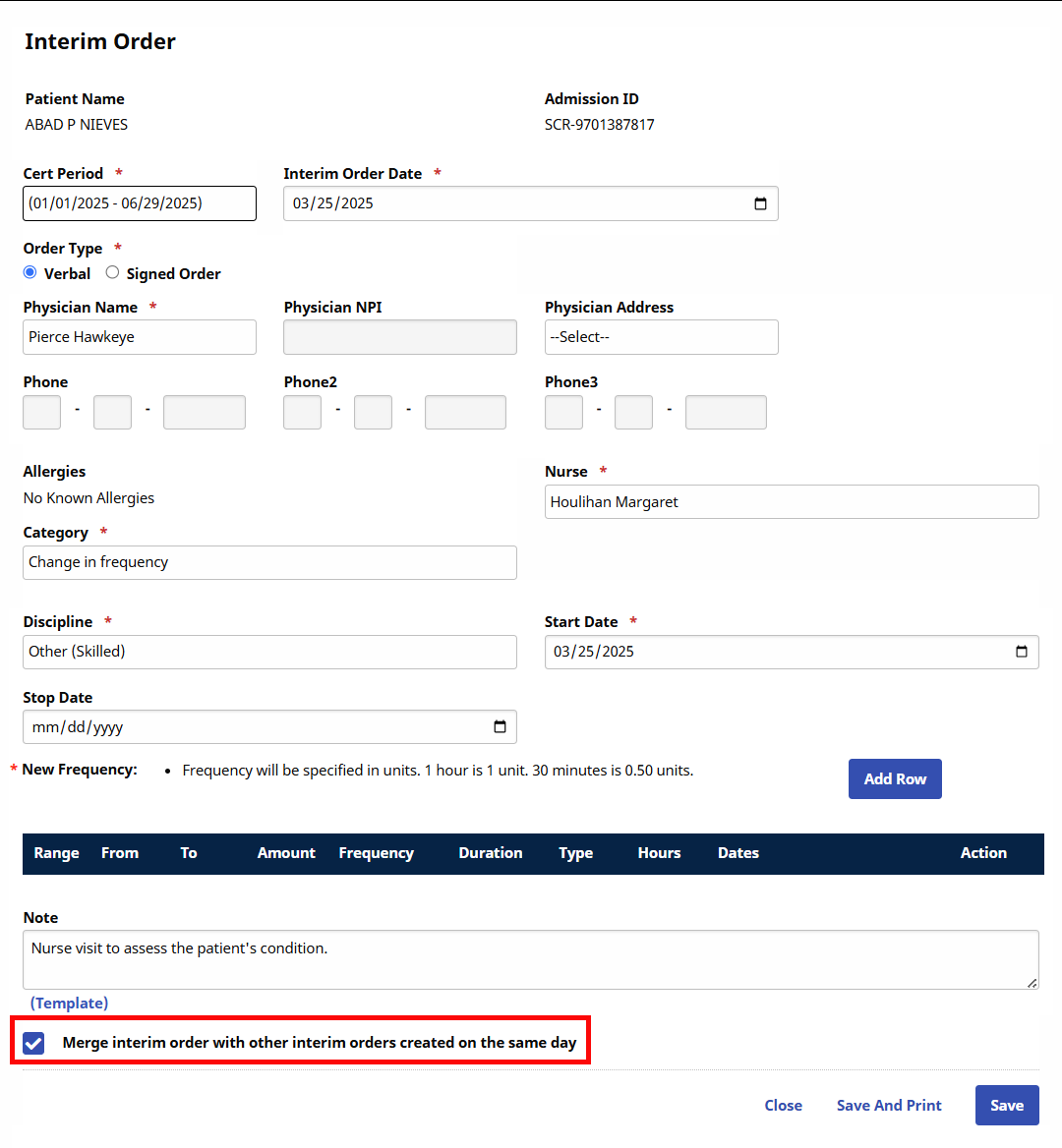
If multiple Interim Orders are applied to a single Certification Period, select the Merge Interim Order… checkbox at the bottom of the page.
-
Click the Save button to complete.
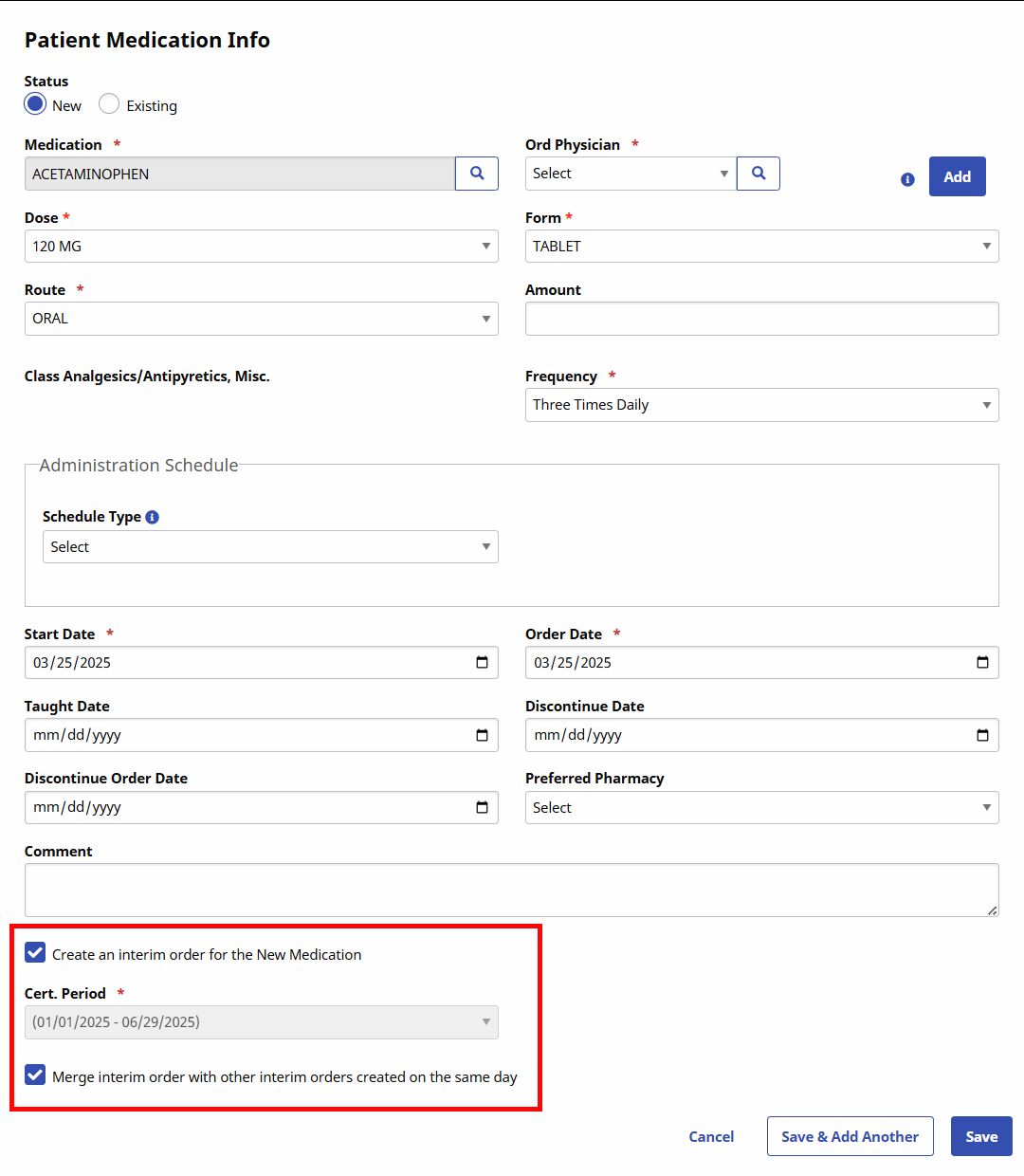
Interim Orders for medication changes are generated by entering the new medication on the Med Profile and selecting the Create an interim order for the Medication checkbox.
For more information, see Med Profile.