Idaho: Configure EVV Aggregation
The Idaho Department of Health & Welfare (ID DHW) has certified HHAeXchange to submit Electronic Visit Verification (EVV) data on behalf of providers who render Personal Care Services (PCS) and/or Home Health Care Services (HHCS). Providers are subject to ID DHW EVV guidelines and must ensure visits are recorded in the aggregator.

Providers must complete the steps outlined below to configure HHAeXchange for EVV Aggregation. Failure to comply may result in to use AltEVV.no data sent to the aggregator.
-
Inform the state aggregator of the decision
Create a ticket with Sandata by going to Sandata on Demand and include the information in the AltEVV/3rd Party Vendor Selection and Information table below:
AltEVV Vendor Selection and Information
Agency Information:
Agency Name: Medicaid ID Number: NPI Number:
Current STX #: [N/A if new Sandata account] Contact Name: Contact Phone Number: Contact Email: Vendor Information: Vendor: HHAeXchange EVV Vendor Contact Name: HHAeXchange EVV Aggregation Support EVV Vendor Contact Email: EASTeam@hhaexchange.com EVV Vendor Contact Phone Number: 855-400-4429 EVV Product Name: HHAeXchange -
Complete the following steps in the HHAeXchange system:
-
If the contract already exists in the system, skip this step.
Navigate to Admin > Contract Setup > New Contract to create a contract.
-
Providers are identified either by their 10-digit National Provider ID (NPI), or 8-character Atypical ID Number (A0000000) in the State aggregator. Providers can be configured at the Contract or Office level.
-
If your agency is using a unique Provider Identifier per payer/contract, then complete the Contract Configuration step (a) below.
-
If your agency is using a unique Provider Identifier per office, and all respective contracts in that office uses the same identifier, then complete the Office Configuration step (b) below.
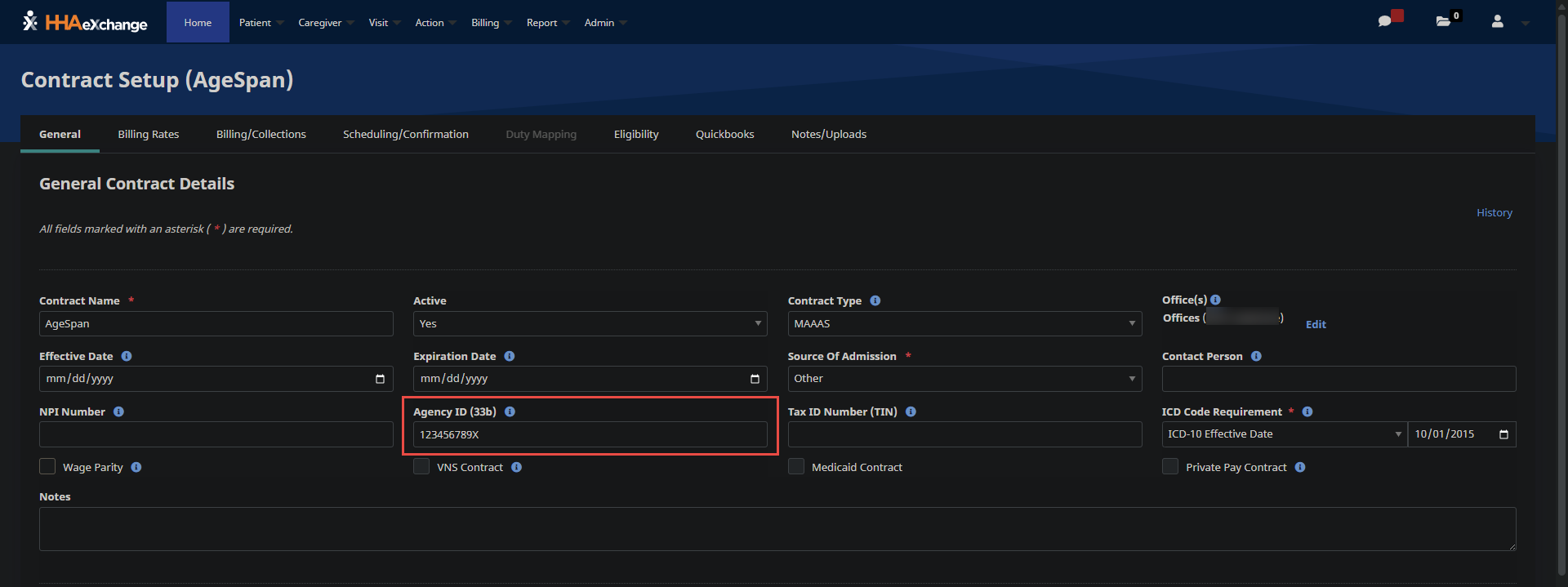
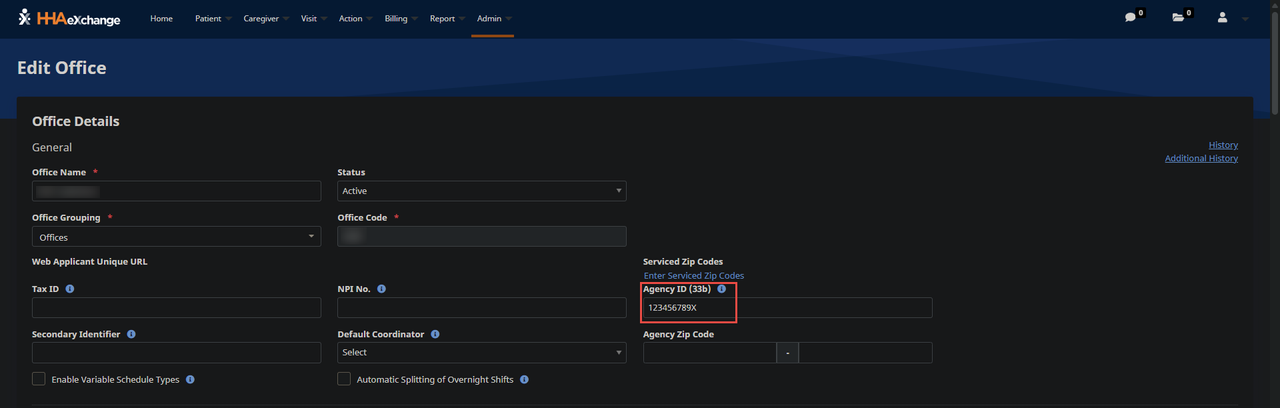
Enter the appropriate NPI, MPI, and TIN for each Contract or Office in the NPI No, Agency ID (33b), and Tax ID No fields. Refer to the following topics for steps on how to add the ProviderIdentifiers to a Contract or Office:
-
Contract Configuration: General Tab for Admin Contract Setup
-
Office Configuration: Set Up a New Office > General
-
-
Select the appropriate Contract Type.
-
See General Tab for Admin Contract Setup for steps on how to add the Contract Type to a Contract.
-
Refer to the Contract Type Configuration table below to view a full list of Contract Payers and Programs.
Contract Type Configuration Contract Type Payer Program/Waiver Name ID-DHW Idaho Department of Health & Welfare
If a Contract Type is not found in the HHAeXchange system, go to Admin > Reference Table Management > Contract Type.
See Reference Table Management for steps on how to add a Contract Type.
-
-
Go to Admin > Reference Table Management > Contract Service Code to enter a valid Service Code in the HCPCS Code field. Repeat this step for each contract.
-
Refer to the Contract Service Code Configuration table below for a full list of valid/in-scope Service Codes.
-
See Reference Table Management for steps on how to add a Contract Service Code and HCPCS Code.
Service Code Configuration Contract Type Applicable HCPCS Code and Modifiers Service Description ID-DHW S5125 Attendant Care S5130 Homemaker T1019 Personal Care Services T1005 Respite - PAA 0571 Aide Services 0470 Audiology Services 0471 Audiology Services - Diagnostic 0472 Audiology Services - Treatment 0431 Occupational Therapy 0421 Physical Therapy 0551 Skilled Nursing 0441 Speech-language Pathology -
-
Navigate to Admin > Reference Table Management > Visit Edit Reason to configure the valid Reason Codes.
Reason Description Note Required? Caregiver Error No Member Unavailable No Mobile Device Issue No Telephony Issue No Member Refused Verification Yes Service Outside the Home No Missing in System No Other Yes
A default value of Other is exported with the visit when the Reason Code differs from the table above. Excessive use of the Reason Other can result in potential compliance issues and/or audit.
-
Review all Member Profiles and ensure the Member details are entered correctly.
Members must be identified by First Name, Last Name, and Medicaid ID. Member Medicaid IDs must be entered in the Member’s Profile > Medicaid ID field. Medicaid ID must be a 10-digit numeric value.
Member names can consist of alpha letters, hyphens, periods, and apostrophes. All other special characters cause the record to reject.
-
Review all Caregiver profiles to ensure that the Caregiver details are entered correctly.
Caregivers must be identified by First Name, Last Name and Last 5-digits of the Social Security number (SSN). Providers can enter the full 9-digit SSN or the last 5-digits using the following format: 000-0X-XXXX.
Caregiver names can consist of alpha letters, hyphens, periods, and apostrophes. All other special characters cause the record to reject.
-
Open a support case to set up the Idaho EVV aggregation interface. If you already have an existing support case open, let your agent know through the existing case.
Once confirmation is received, proceed to the Idaho State Aggregation Report topic to review exported EVV data.
-