Services Portal Components
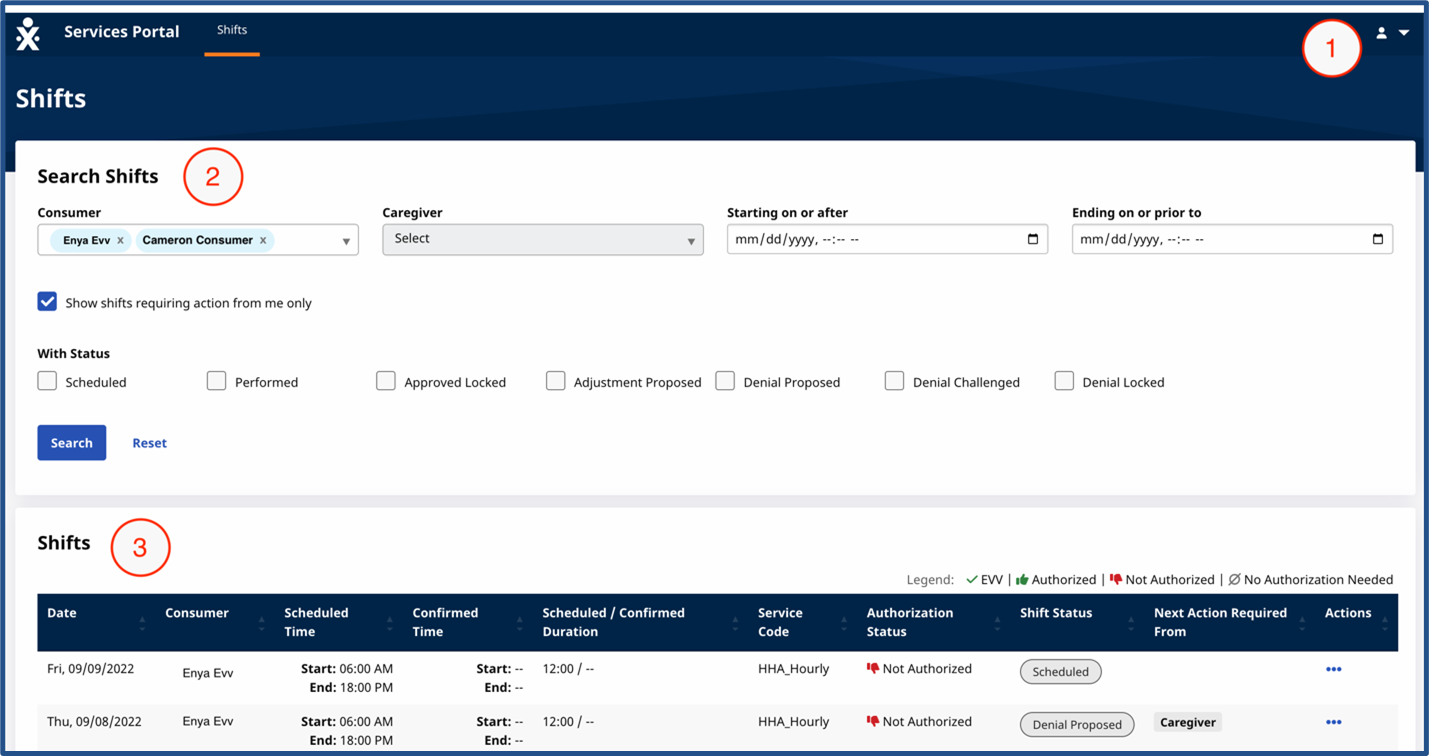
When you log in, the Services Portal opens to the Shifts page. The Shifts page has three sections, numbered in this image, and explained in the table following the image. Each section is covered in detail elsewhere in this documentation.
| Section |
Description |
|---|---|
|
1 - System Menu |
Used to view and change system settings, change your password, and log out of the system. |
|
2 - Search Shifts |
Use filters and fields to search for shifts. |
|
3 - Shifts |
Listing of your shifts. Each line has details about shifts, such as Status and Service Code. Click the Ellipsis... in the Actions column to see available actions for your shifts. |
