Access Care Insights
To access Care Insights, go to the Provider and Caregiver module in the top navigation and select Care Insights.
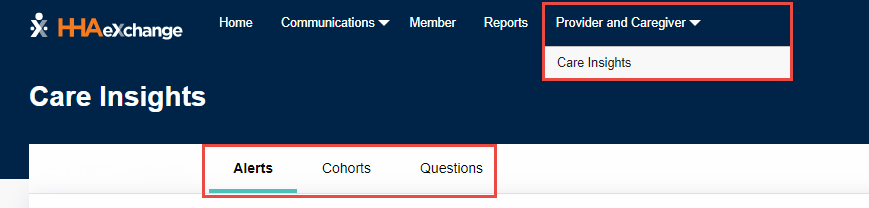
The Care Insights page contains three tabs Alerts, Cohorts, and Questions described as follows:
-
Alerts: The Alerts tab is comprised of filters to search for alerts and a list of alerts generated by Caregiver answers to questions.
-
Cohorts: The Cohorts tab contains a list of Cohorts (or Member groups) in dropdown lists. Cohorts are created to target a variety of Member groups, such as Care Management group, Case Management groups, or Social Determinants of Health.
-
Questions: The Questions tab contains filters to search for questions, along with a the list of all questions in the system.
If configured by the Payer, then a Care Insights Overview Dashboard tab can also be accessed from the Care Insights page.