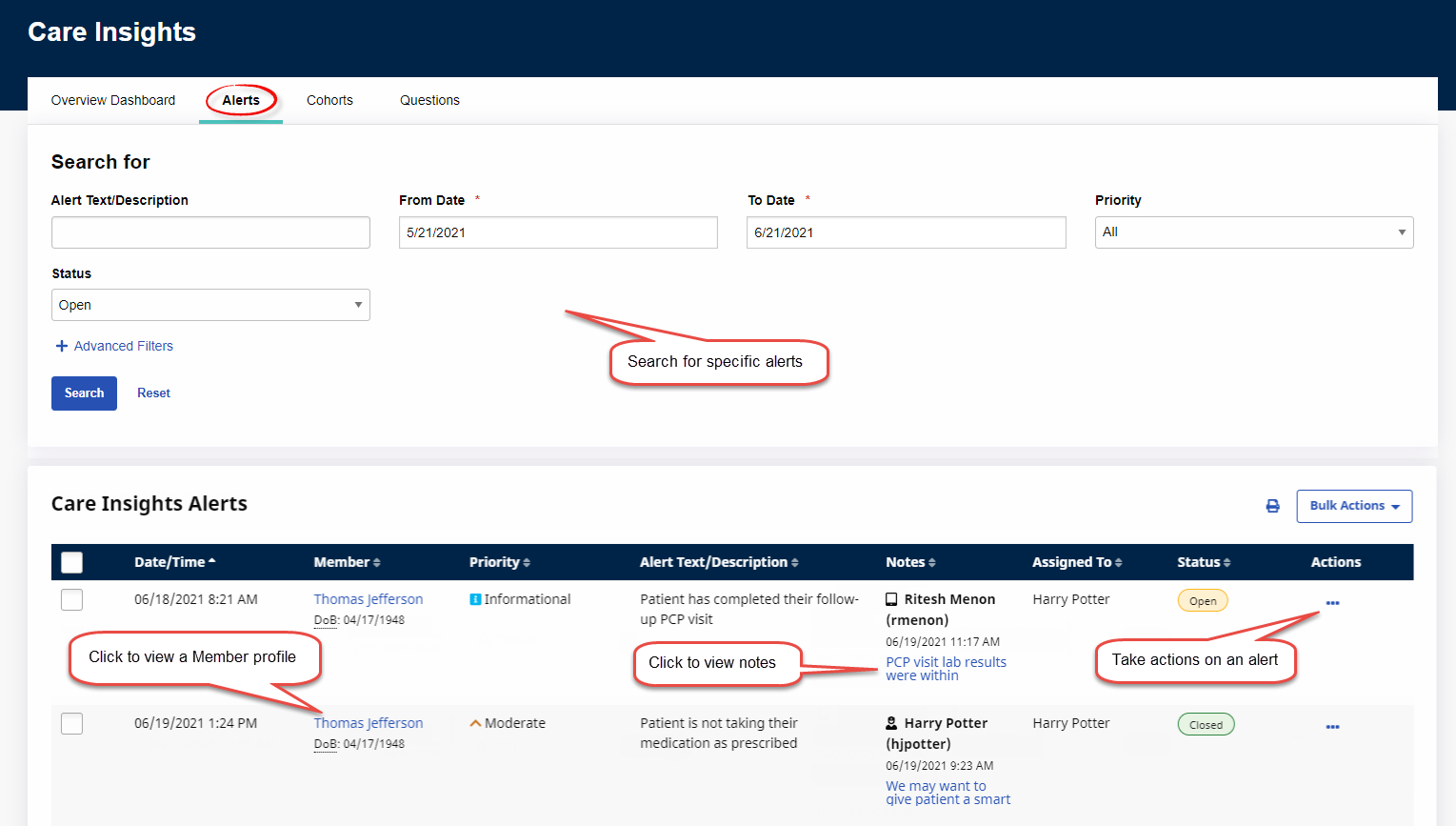
Care Insights Alerts Tab
To access Care Insights Alerts, click the Alerts tab at the top left of the Care Insights page under Provider & Caregiver > Care Insights.
The Alerts tab is divided into two sections: an upper Search for section that contains filters to search for alerts and a lower Care Insights Alerts section that contains a list of all alerts in the system.
From the Care Insights Alerts section, users can view Member details on the Member Profile, assign alerts to themselves or another user, view or add notes, and close alerts.