Non-Homecare Portal
HHAeXchange primarily supports homecare services, but some Providers offer services that take place outside the homecare setting. The Non-Homecare Portal is designed for those Providers.
Providers use the Non-Homecare Portal to receive service authorizations from Payers and decide whether to accept or decline them. These services may include things like transportation, home modifications, or food services. The portal also allows Providers and Payers to communicate about these services.
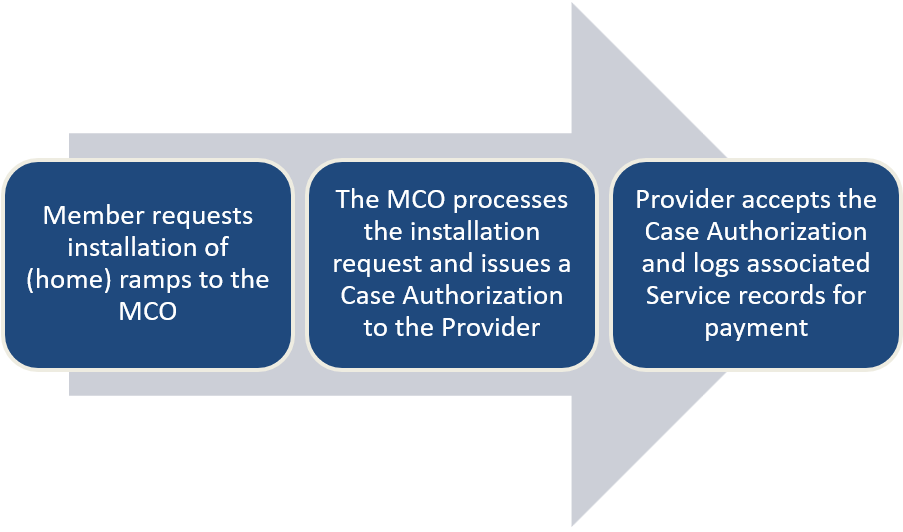
When a Payer assigns a non-homecare service to a Provider, it appears in the portal as a pending case. For example, if a Member needs a ramp installed at their home, the Payer sends an authorization for that service. The Provider reviews the authorization and chooses to accept or decline it.
After the service is completed, the Provider records the service details under the authorization in the portal. This step starts the payment process.
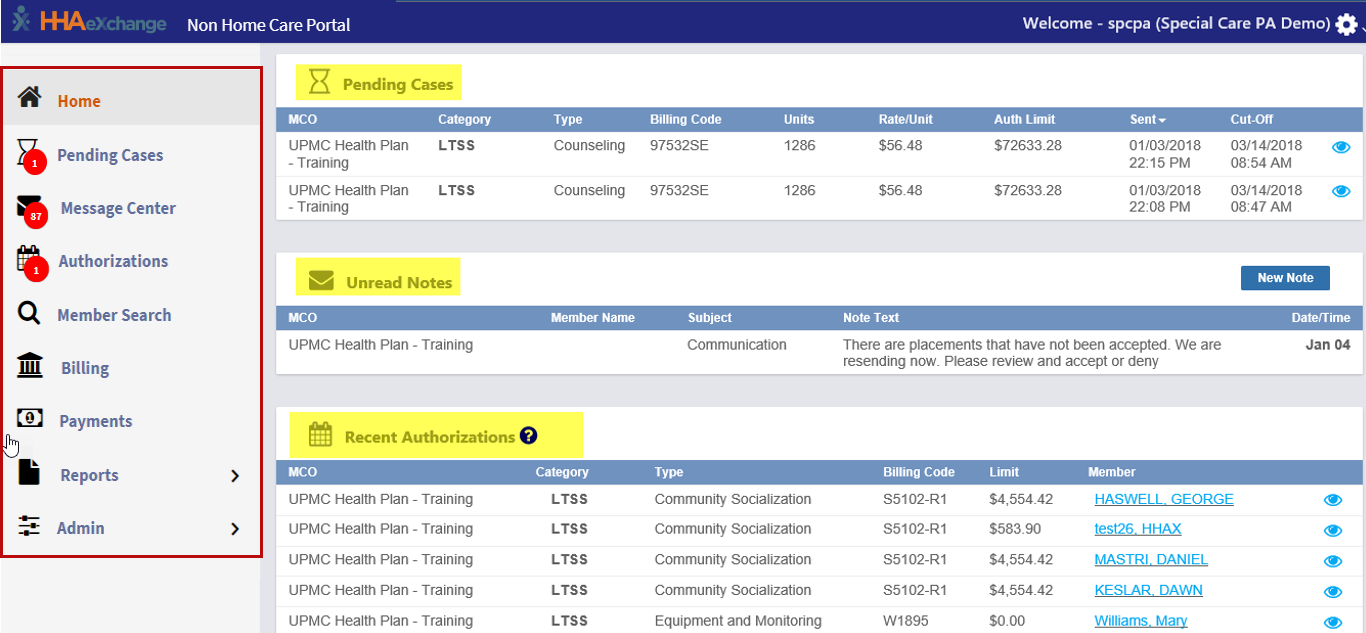
The Non-Homecare Portal dashboard includes several pages, which are listed in the left-hand navigation menu. Use this menu to move between different areas of the portal and access available features. Red numbered icons indicate new or pending items that need attention.
The Home page is divided into three sections:
-
Pending Cases
-
Unread Notes
- Recent Authorizations
Each section is explained in more detail in the related help topics below.
Click on any of the help topics to the right to learn more about that element of the Non-Homecare Portal.